Hands-free touchscreens

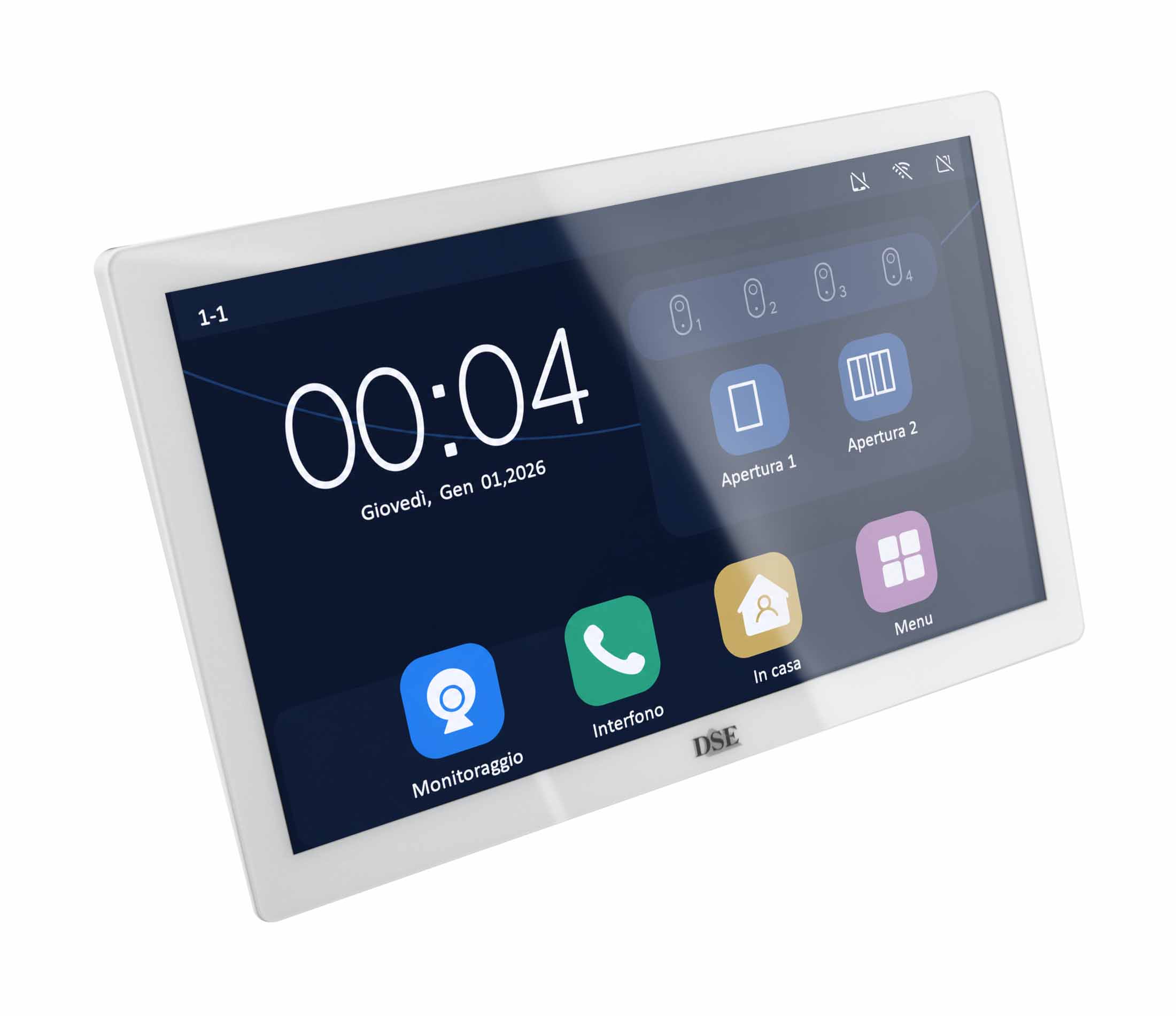
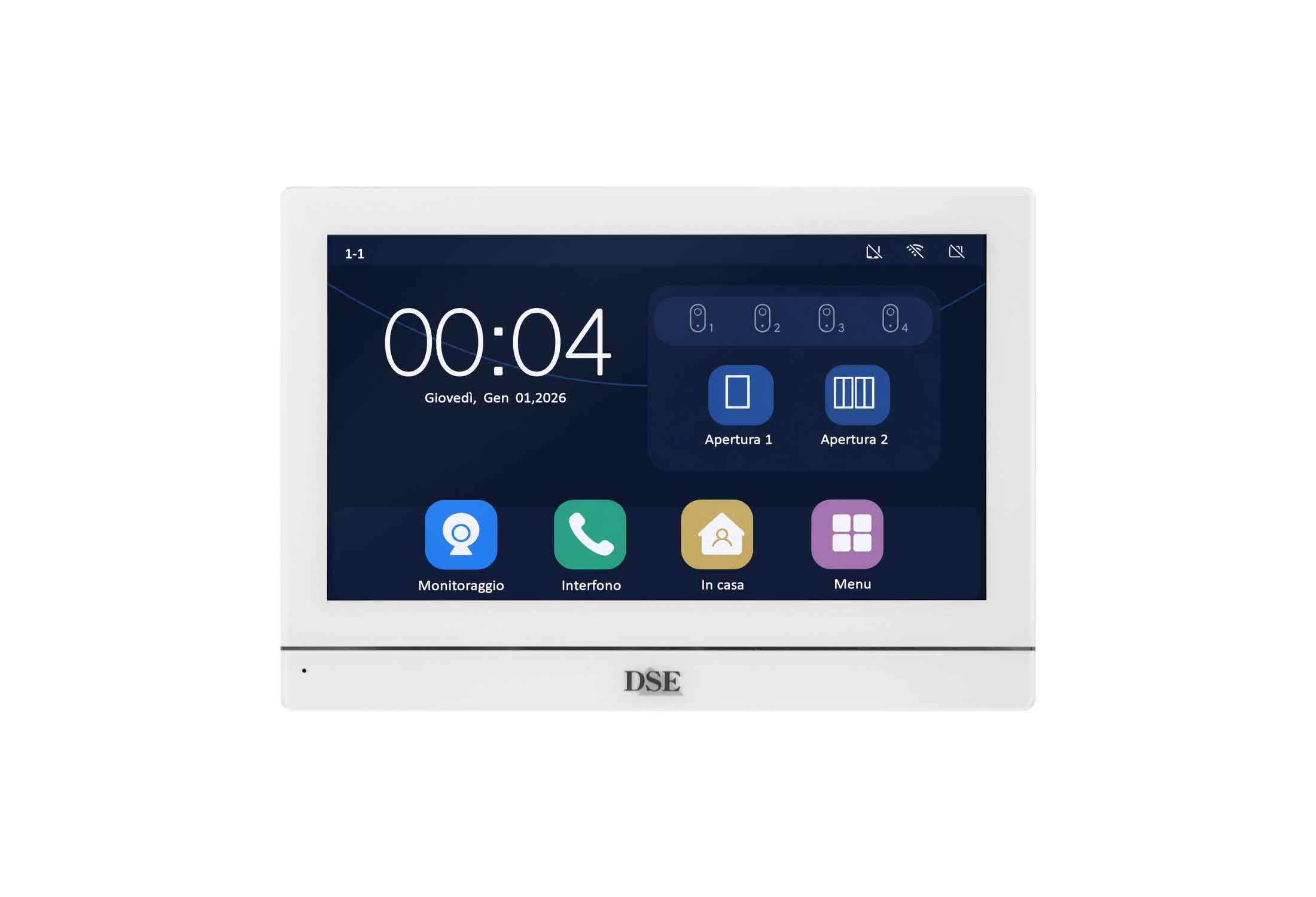
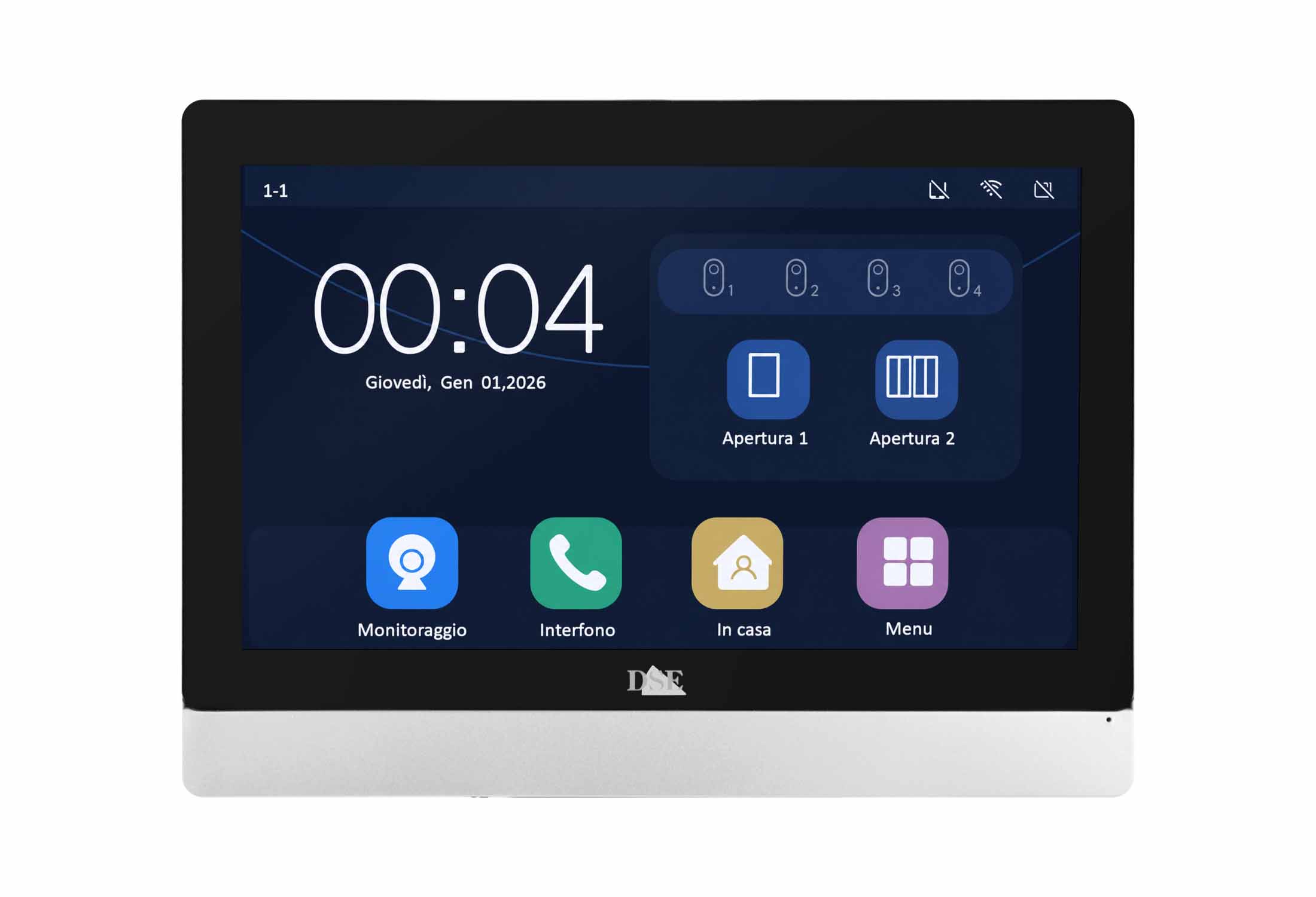
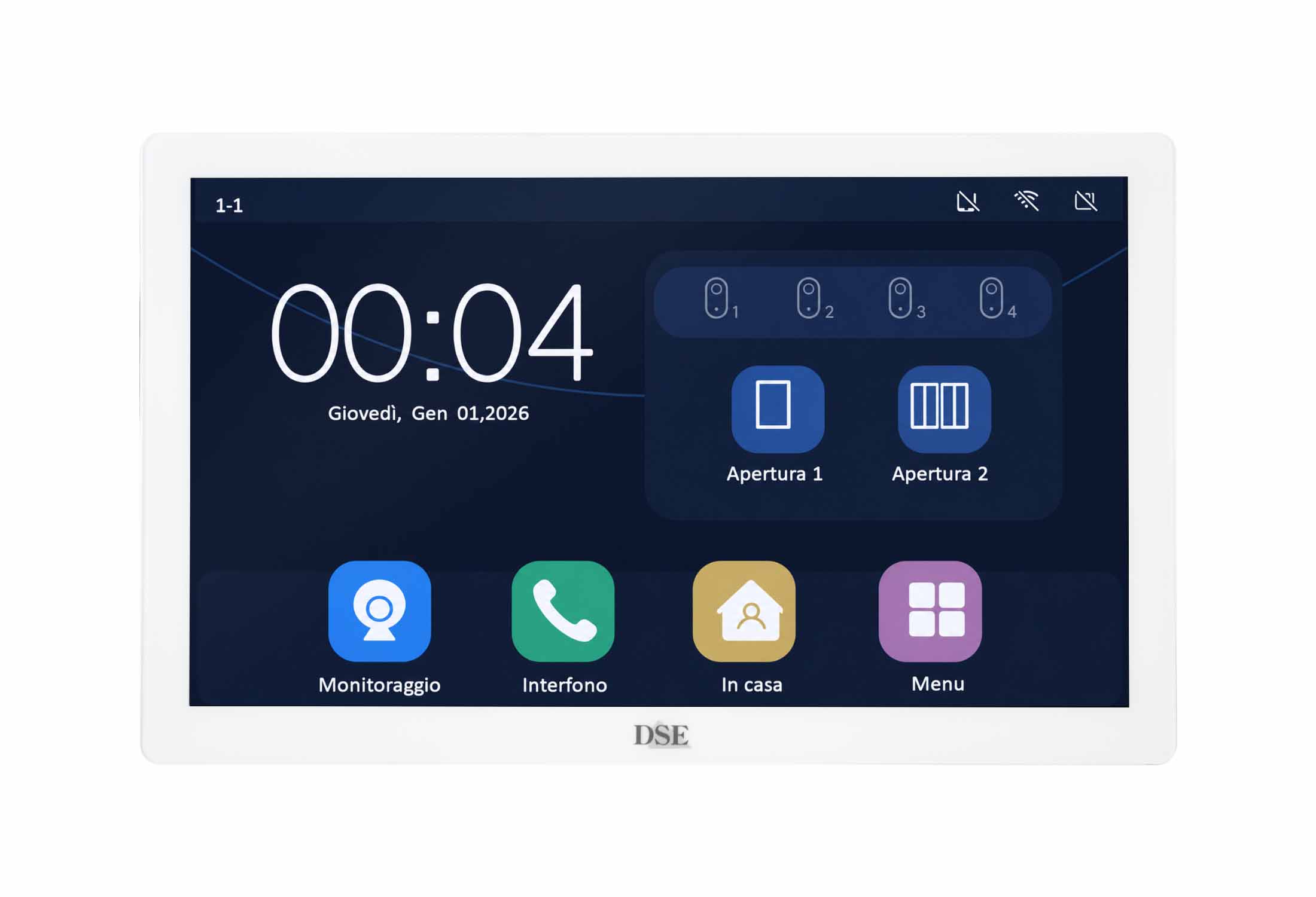
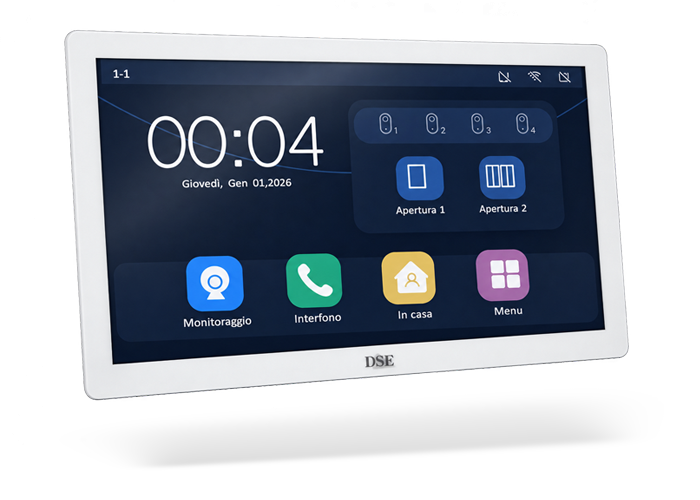
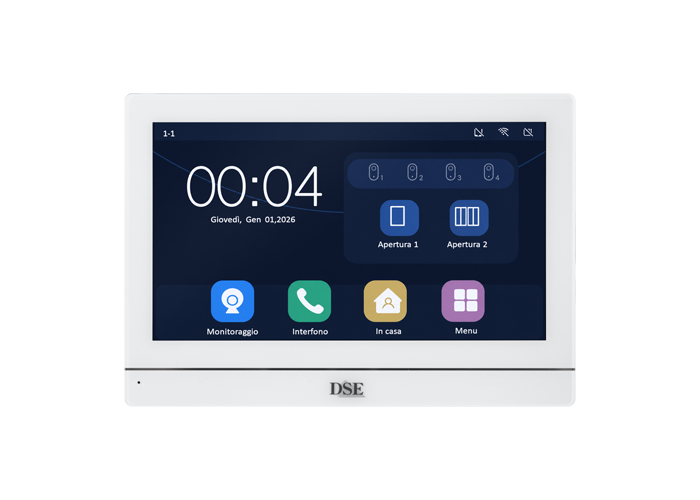
7" TOUCHSCREEN

2-wire video intercom
DMC-IQ-M7 4MP

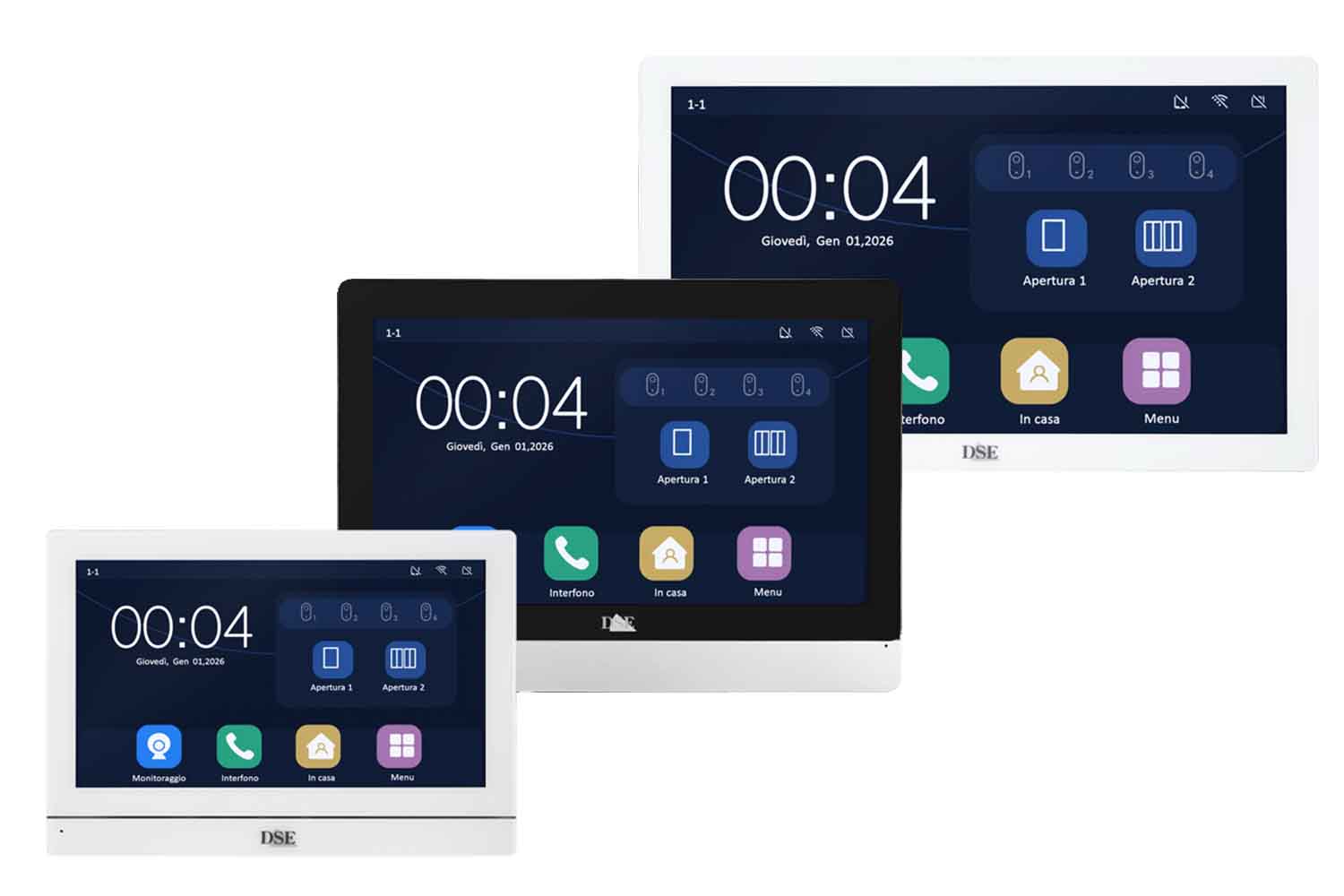
White 7" hands-free touchscreen monitor

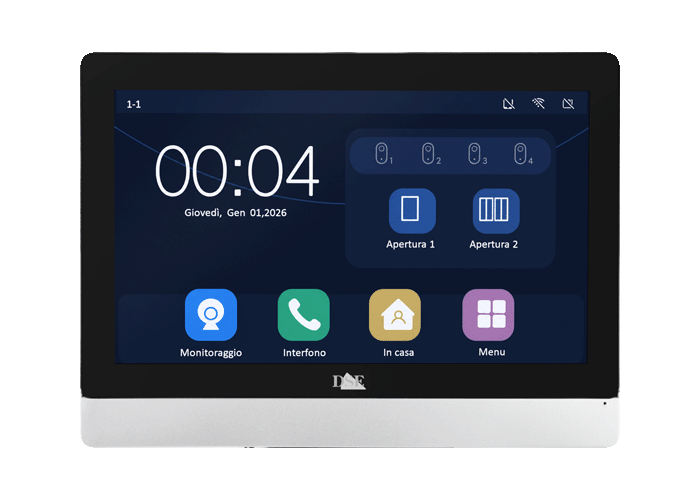
9" TOUCHSCREEN

Video intercom
DMC-IQ-M9N 4MP

Black/stainless steel 9" hands-free touchscreen monitor

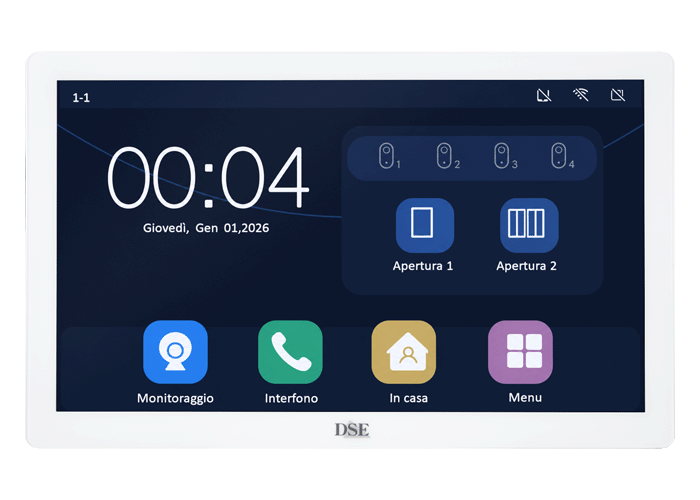
10" TOUCHSCREEN

2-wire video intercom
DMC-IQ-M10S 4MP

White 10" hands-free touchscreen monitor

AI door stations with door release

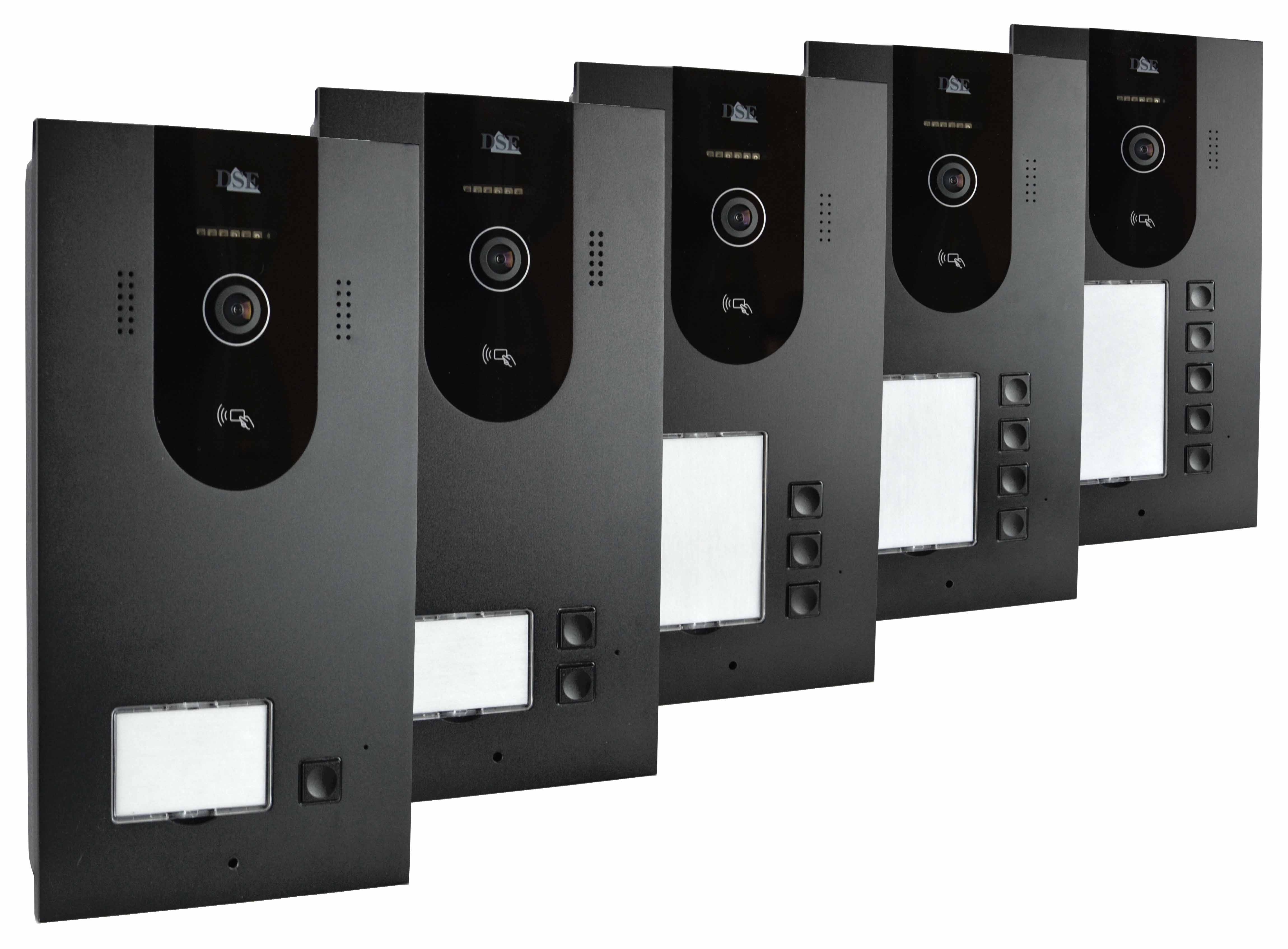
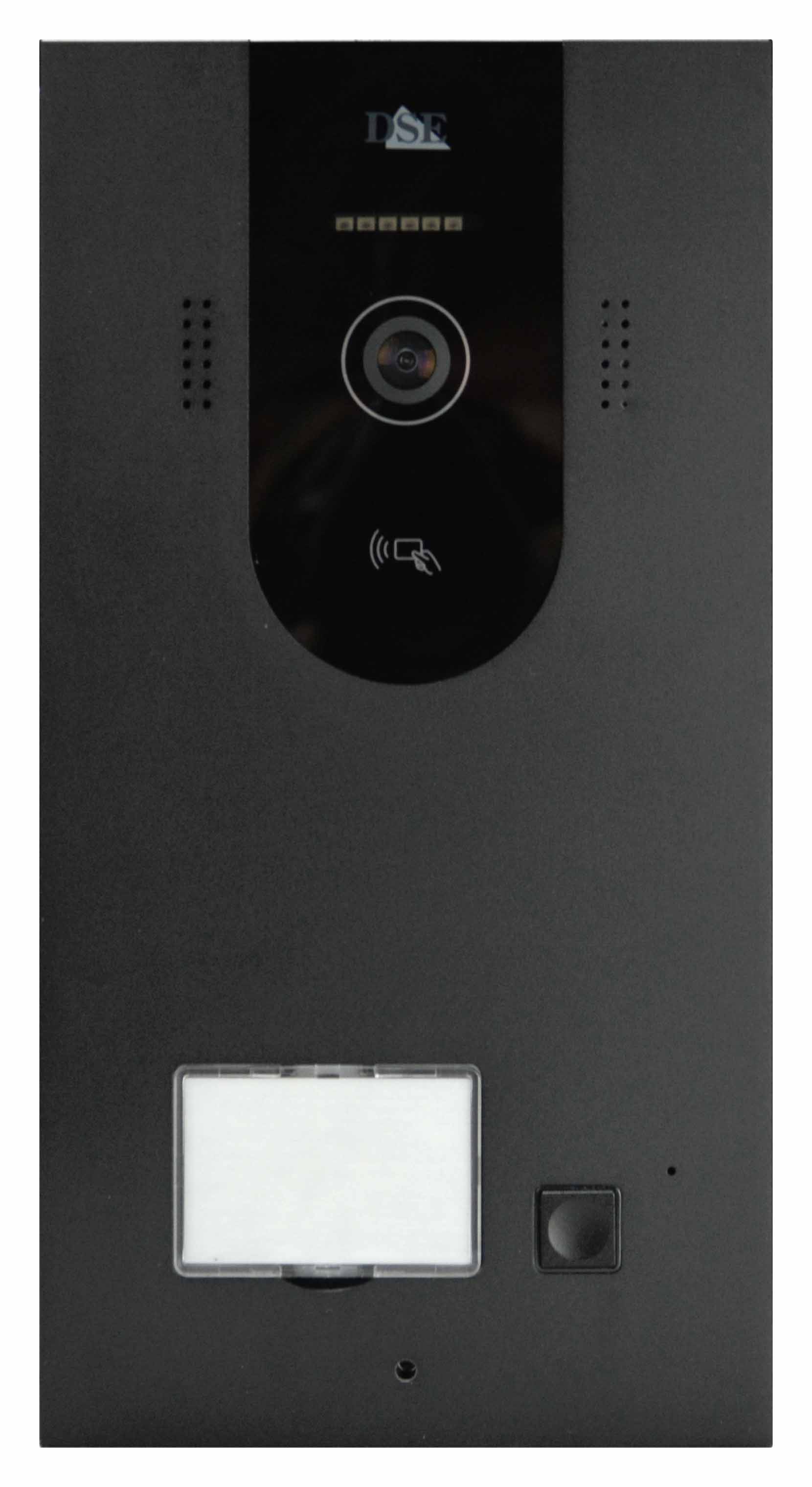
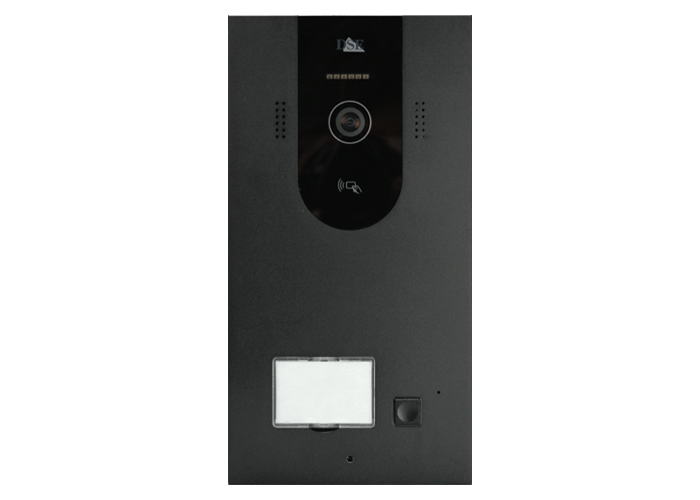
DOOR STATION FOR 1 APARTMENT

2-wire video intercom
DMC-IQ-P1 4MP

4MP camera with 6 m infrared illumination
1 door release with 12VDC powered lock output
1 NO relay door release for a gate
IC badge reader (5 badges included)
Facial recognition
Palm print recognition
24-hour motion detection

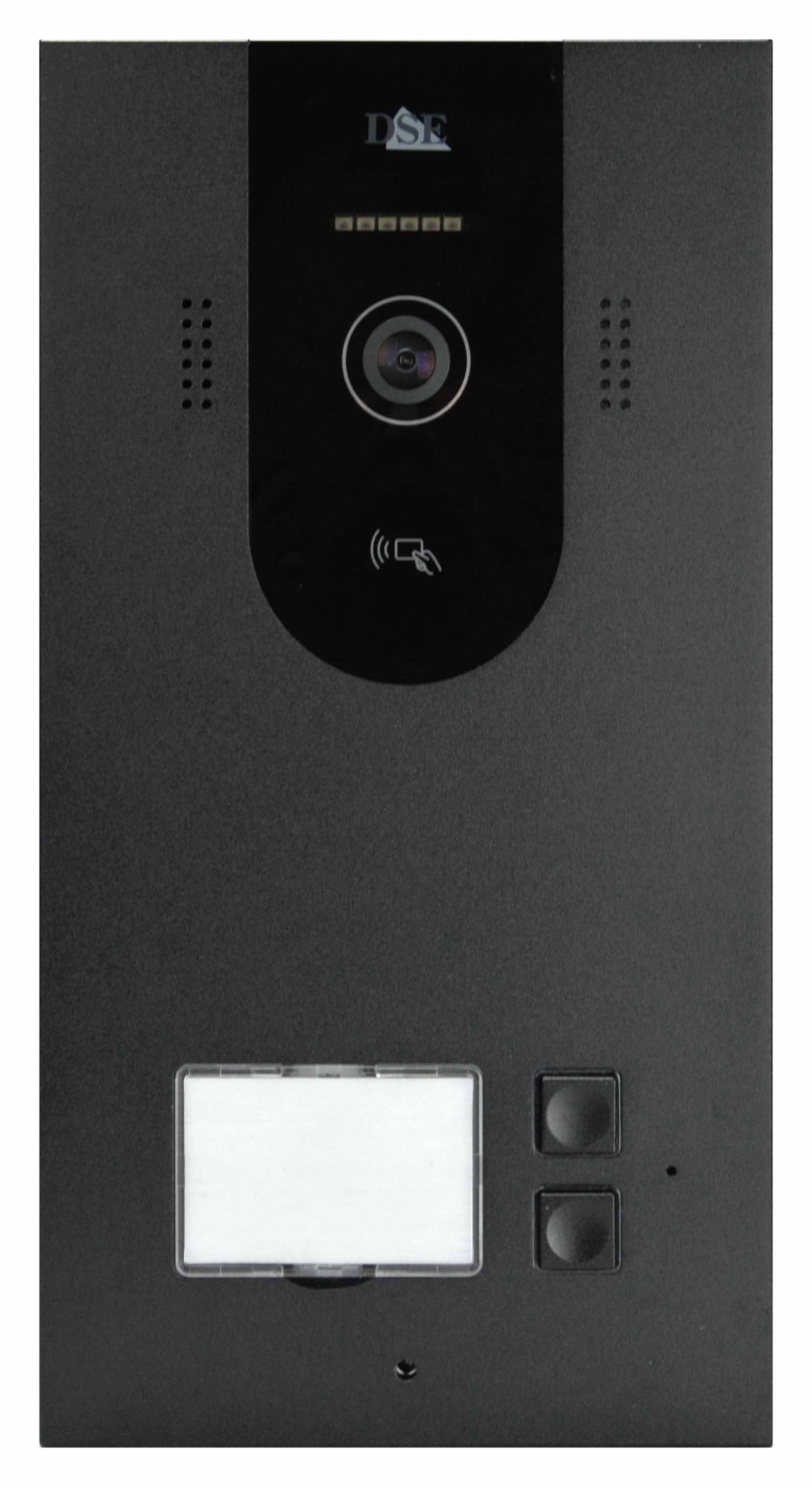
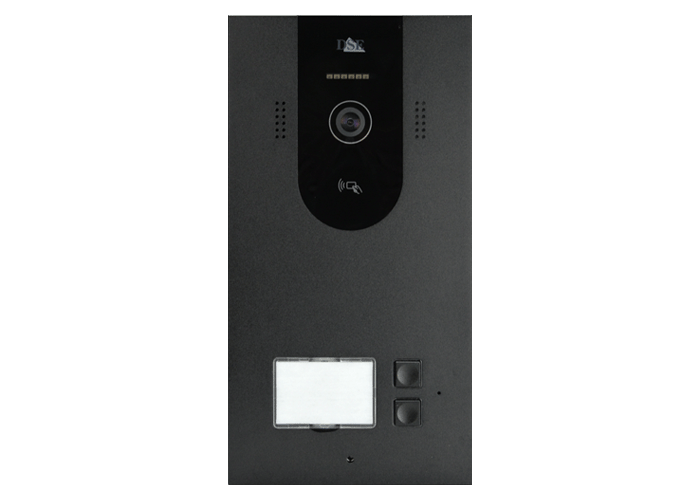
DOOR STATION FOR 2 APARTMENTS

2-wire video intercom
DMC-IQ-P2 4MP

4MP camera with 6 m infrared illumination
1 door release with 12VDC powered lock output
1 NO relay door release for a gate
IC badge reader (5 badges included)
Facial recognition
Palm print recognition
24-hour motion detection

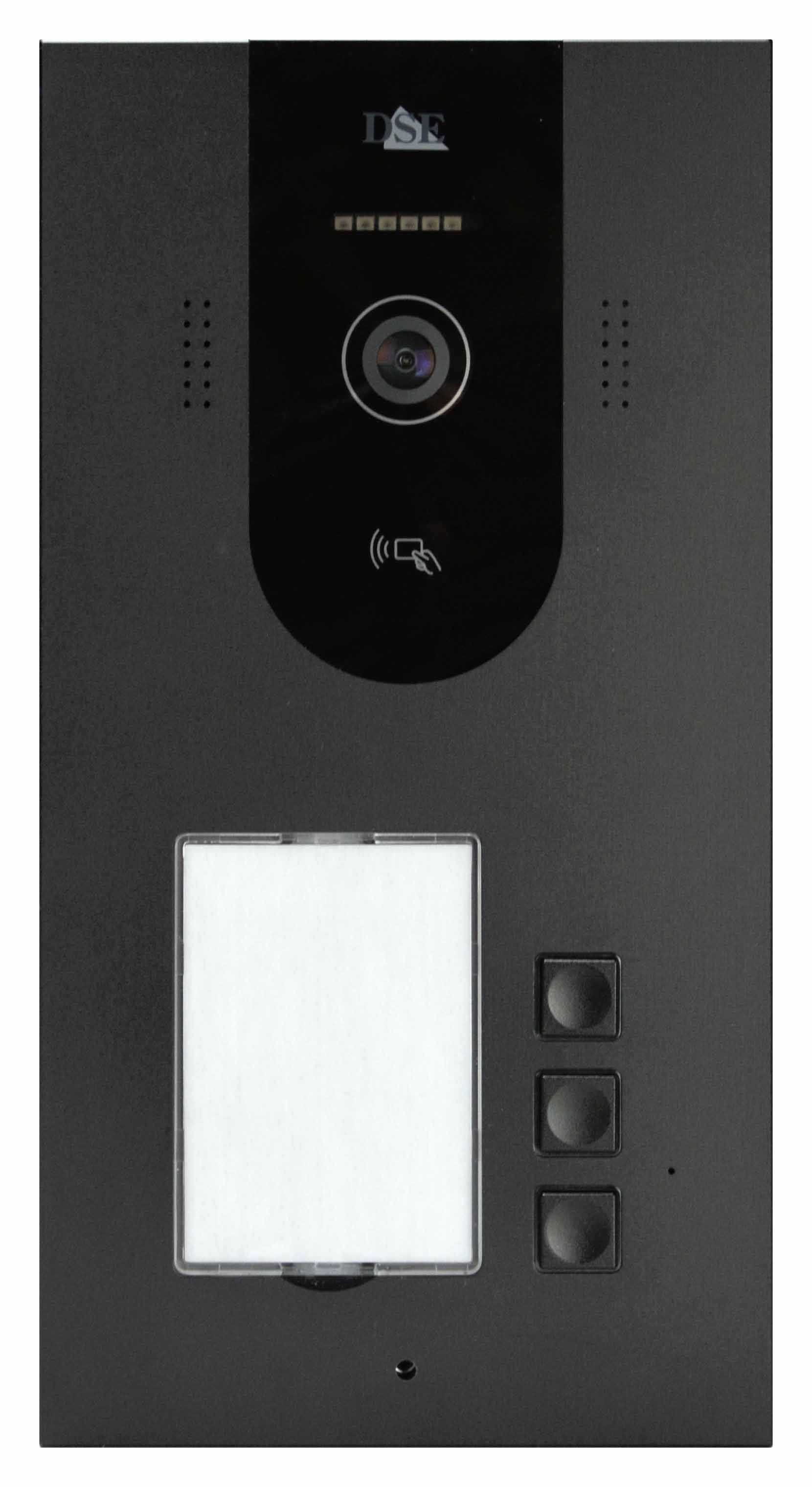
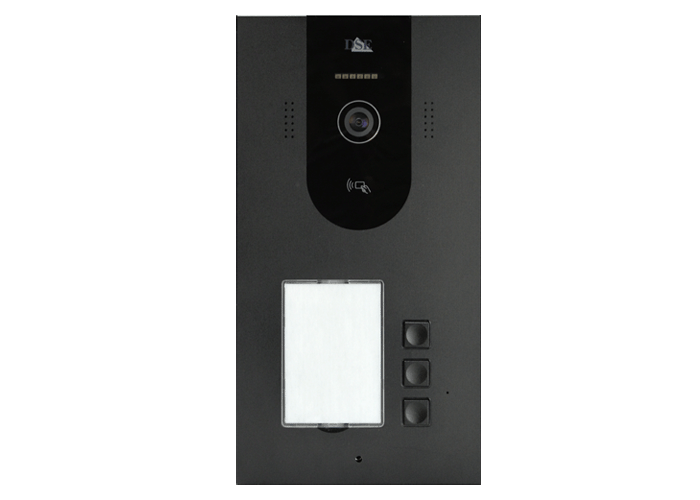
DOOR STATION FOR 3 APARTMENTS

2-wire video intercom
DMC-IQ-P3 4MP

4MP camera with 6 m infrared illumination
1 door release with 12VDC powered lock output
1 NO relay door release for a gate
IC badge reader (5 badges included)
Facial recognition
Palm print recognition
24-hour motion detection

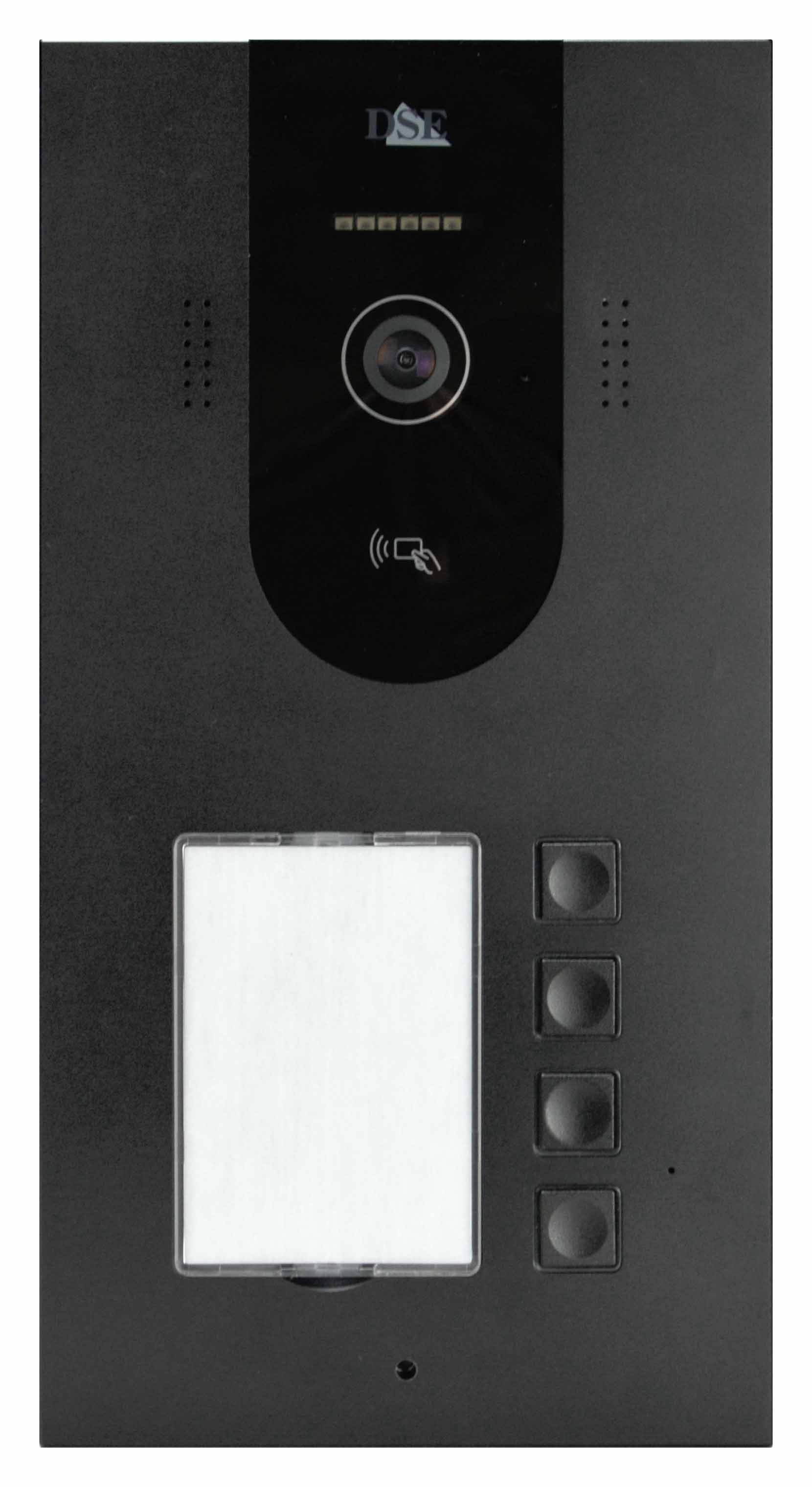
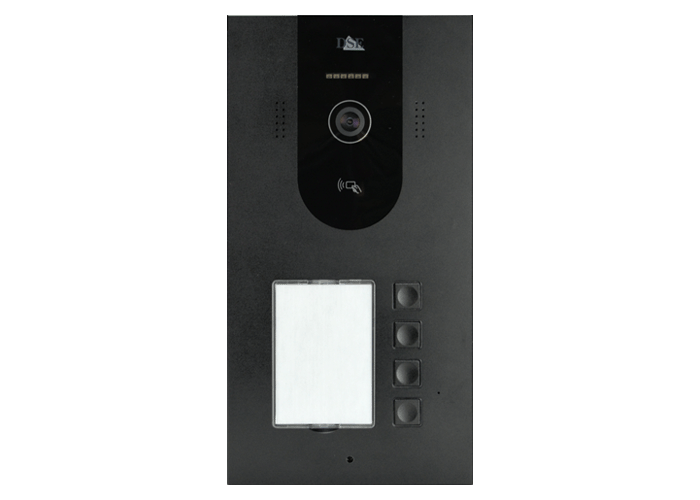
DOOR STATION FOR 4 APARTMENTS

2-wire video intercom
DMC-IQ-P4 4MP

4MP camera with 6 m infrared illumination
1 door release with 12VDC powered lock output
1 NO relay door release for a gate
IC badge reader (5 badges included)
Facial recognition
Palm print recognition
24-hour motion detection

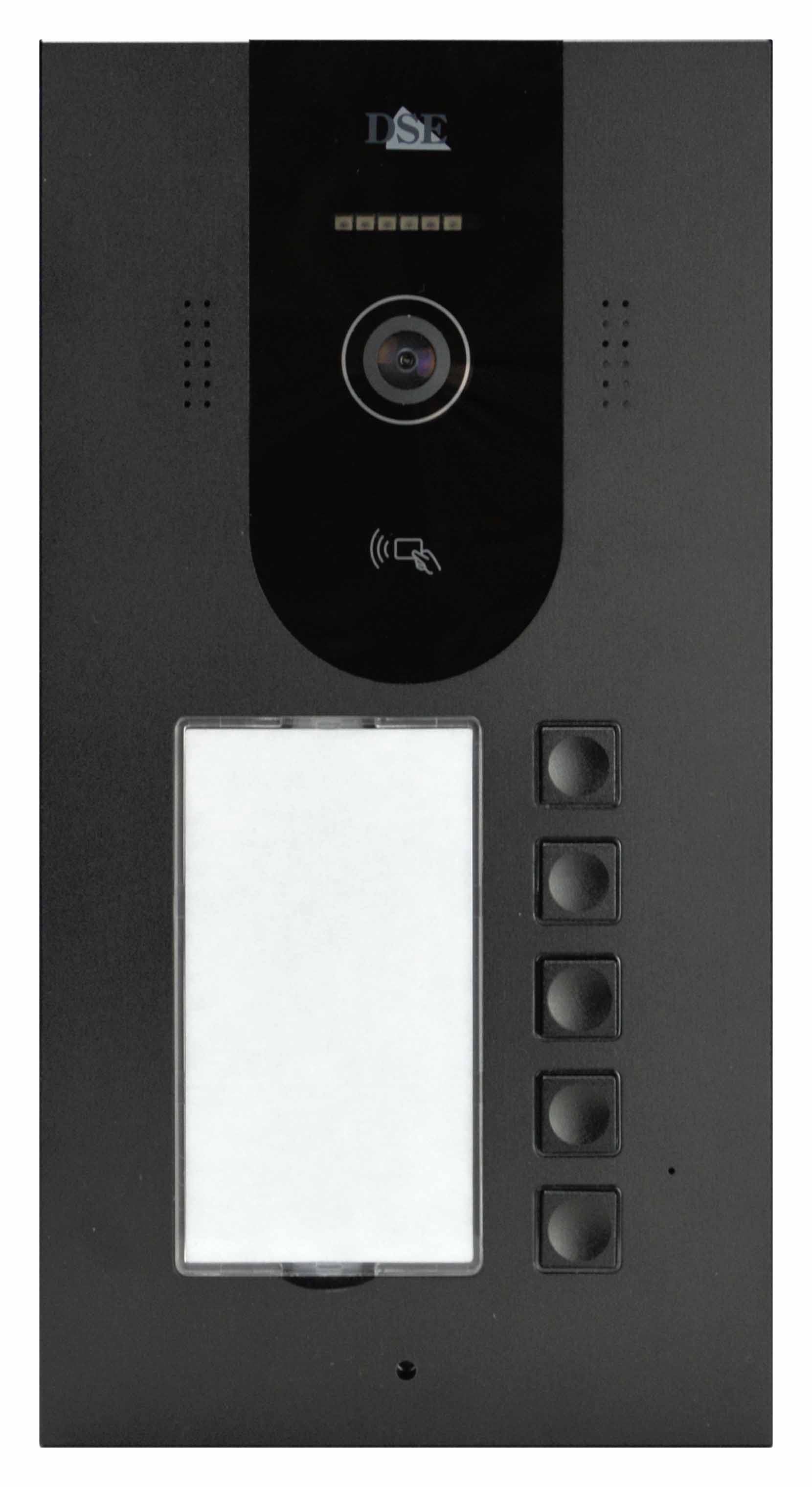
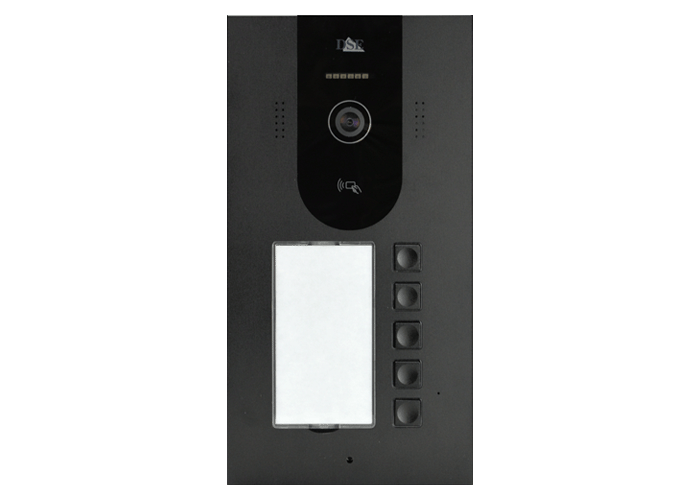
DOOR STATION FOR 5 APARTMENTS

2-wire video intercom
DMC-IQ-P5 4MP

4MP camera with 6 m infrared illumination
1 door release with 12VDC powered lock output
1 NO relay door release for a gate
IC badge reader (5 badges included)
Facial recognition
Palm print recognition
24-hour motion detection

Accessories

24VDC POWER SUPPLY

2-wire video intercom
DMC-AL3-24 24VDC 3A

220VAC/24VDC DIN rail power supply. On average, one power supply is needed for every 2 monitors.

ADDITIONAL IC BADGE

IC badge
DMC-IC

Additional badge for door stations with a badge reader (in addition to the 5 included)

ELECTRIC LOCK BOOSTER

IC badge
DMC-BST

Booster for electric locks with high current draw (over 800 mA). Connects between the door station and the electric lock. In a waterproof sleeve

Domoticam intercom

REVOLUTIONARY VIDEO INTERCOMS

... with so many installation benefits

digital intercom on 2 wires

100% IP over 2 wires

Other 2-wire video intercoms are analog, with low-resolution video. DOMOTICAM is a 2-wire video intercom with fully digital IP technology for superior video quality and features.

digital intercom on 2 wires

No hubs required

Other IP video intercoms require devices to be connected to control units or hubs. With DOMOTICAM, you use just two wires between monitors and door stations, connecting them in a daisy chain or star layout with complete flexibility.

digital intercom on 2 wires

No polarity

Other video intercoms require you to distinguish between the + and - wires. With DOMOTICAM devices, even though they run on 24VDC, you can reverse the wires without any problems. This is more convenient, especially when reusing wiring from an old intercom.

digital intercom on 2 wires

Self-configuring

Other video intercoms require complex setup using DIP switches, computers or apps. DOMOTICAM video intercoms are Plug&Play IP systems and require no configuration.

digital intercom on 2 wires

International app

Other video intercoms use less widely adopted apps. DOMOTICAM video intercoms use the powerful Tuya SmartLife home automation app, the most widely used in the world, which lets you control countless devices to automate your entire home.

... and exclusive digital features

digital intercom on 2 wires

4MP video

DOMOTICAM uses only large touchscreens and a high-resolution camera to deliver outstanding image quality in both live viewing and recordings.

digital intercom on 2 wires

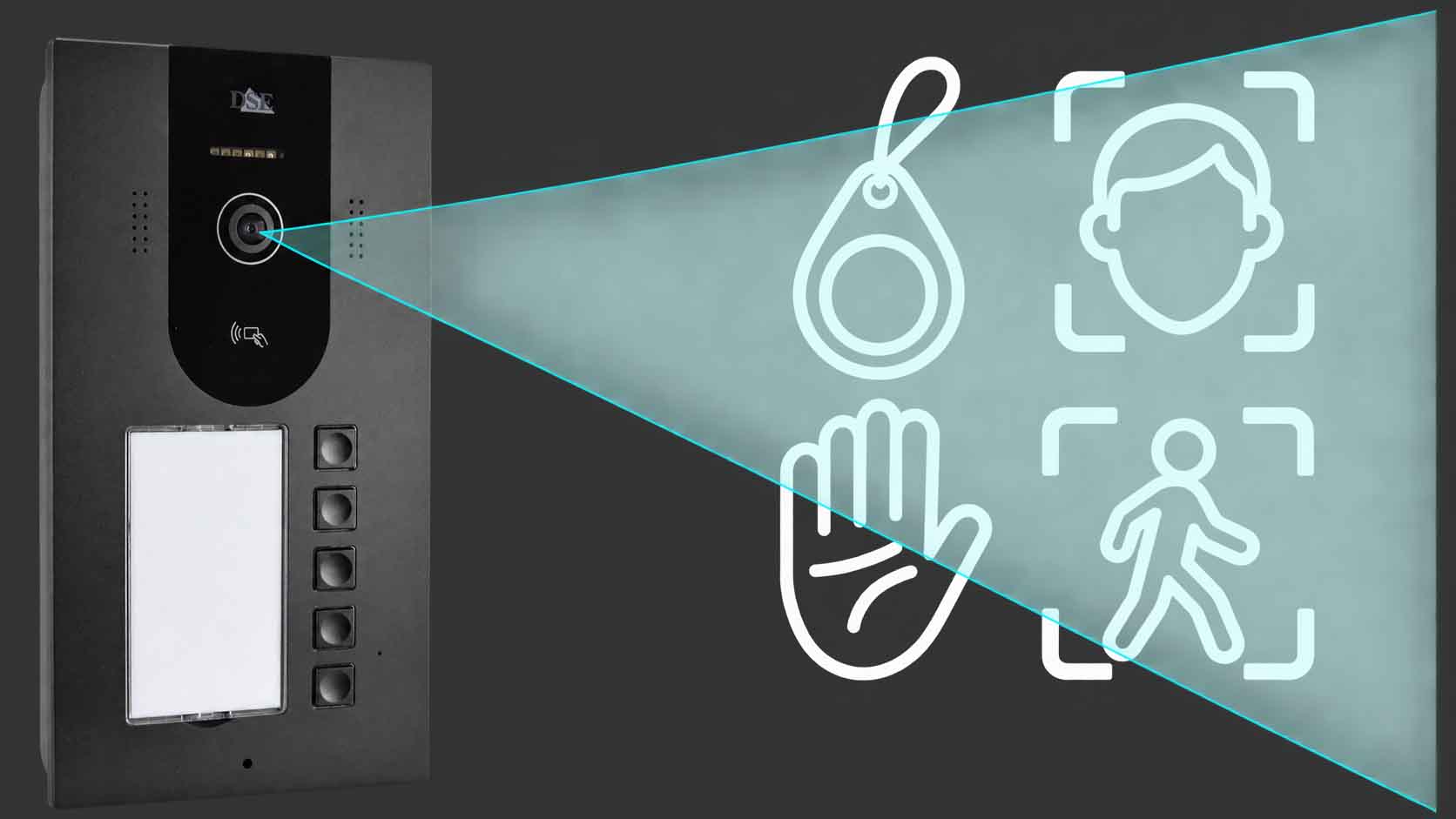
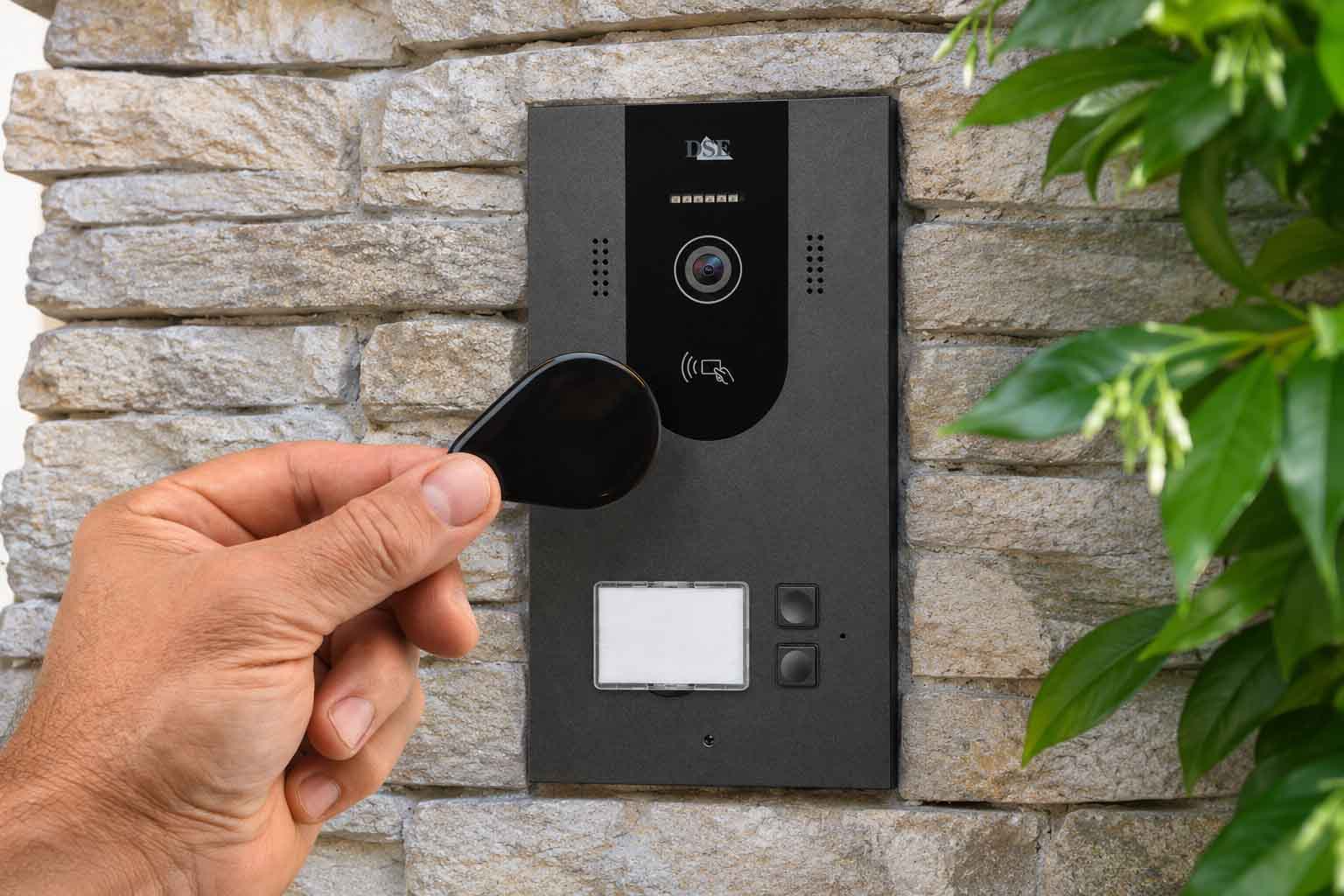
Badge access

All door stations have a badge reader for keyless door opening. The system supports ten authorised users per household. Each door station includes 5 free badges.

digital intercom on 2 wires

Facial recognition

The camera recognises your face. You can store a photo of each authorised user and open the door using facial recognition.

digital intercom on 2 wires

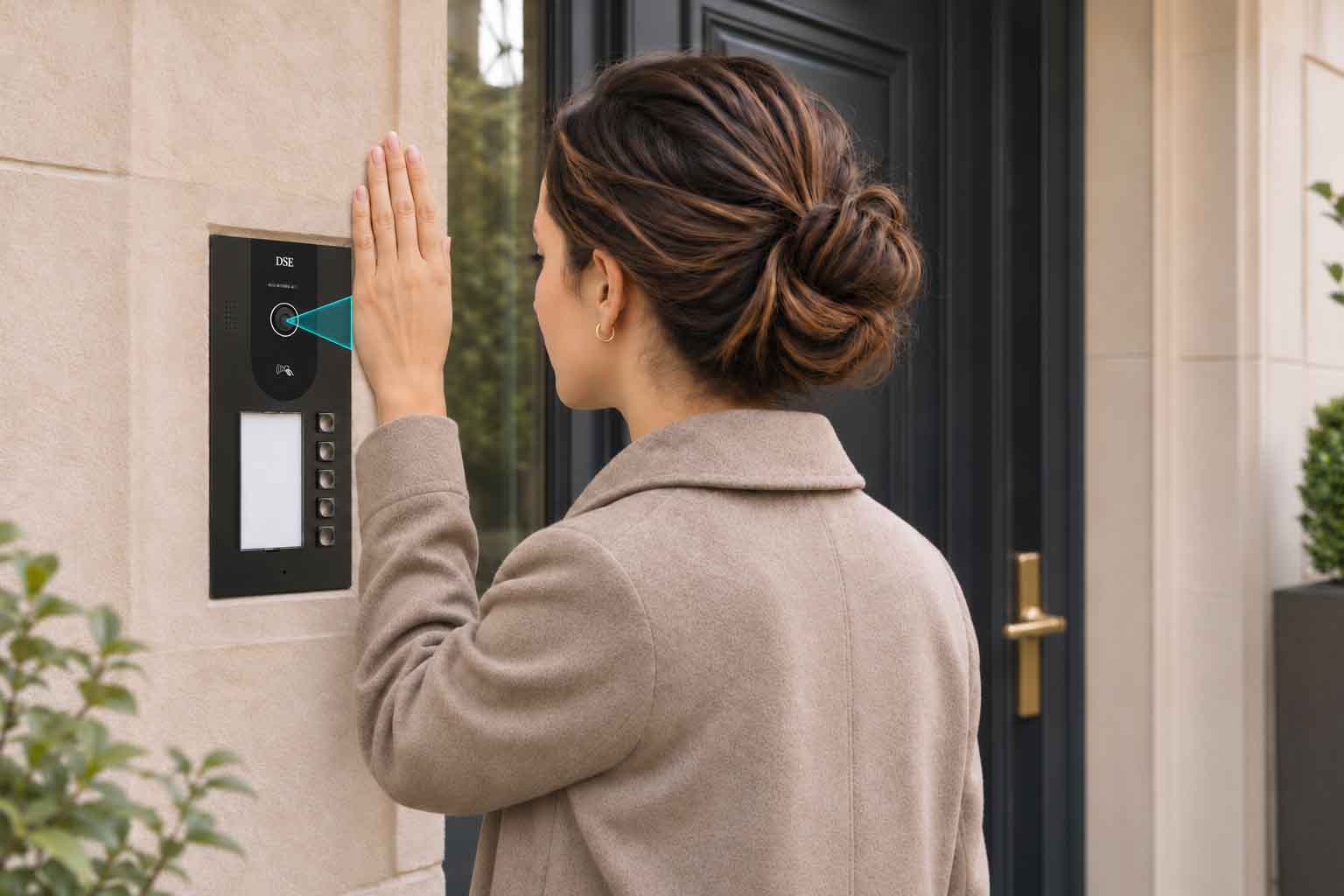
Palm print recognition

The camera also recognises the distinctive lines on the palm of your hand. This provides highly convenient and secure access control.

digital intercom on 2 wires

Motion detection

With human detection, you can monitor the area in front of the intercom and receive a notification if any unusual presence is detected.

digital intercom on 2 wires

International app

Other video intercoms use less widely adopted apps. DOMOTICAM video intercoms use the powerful Tuya home automation app, the most widely used in the world, which lets you control countless devices to automate your entire home.

POWERFUL AND INNOVATIVE

Say goodbye to small screens! Upgrade to high resolution

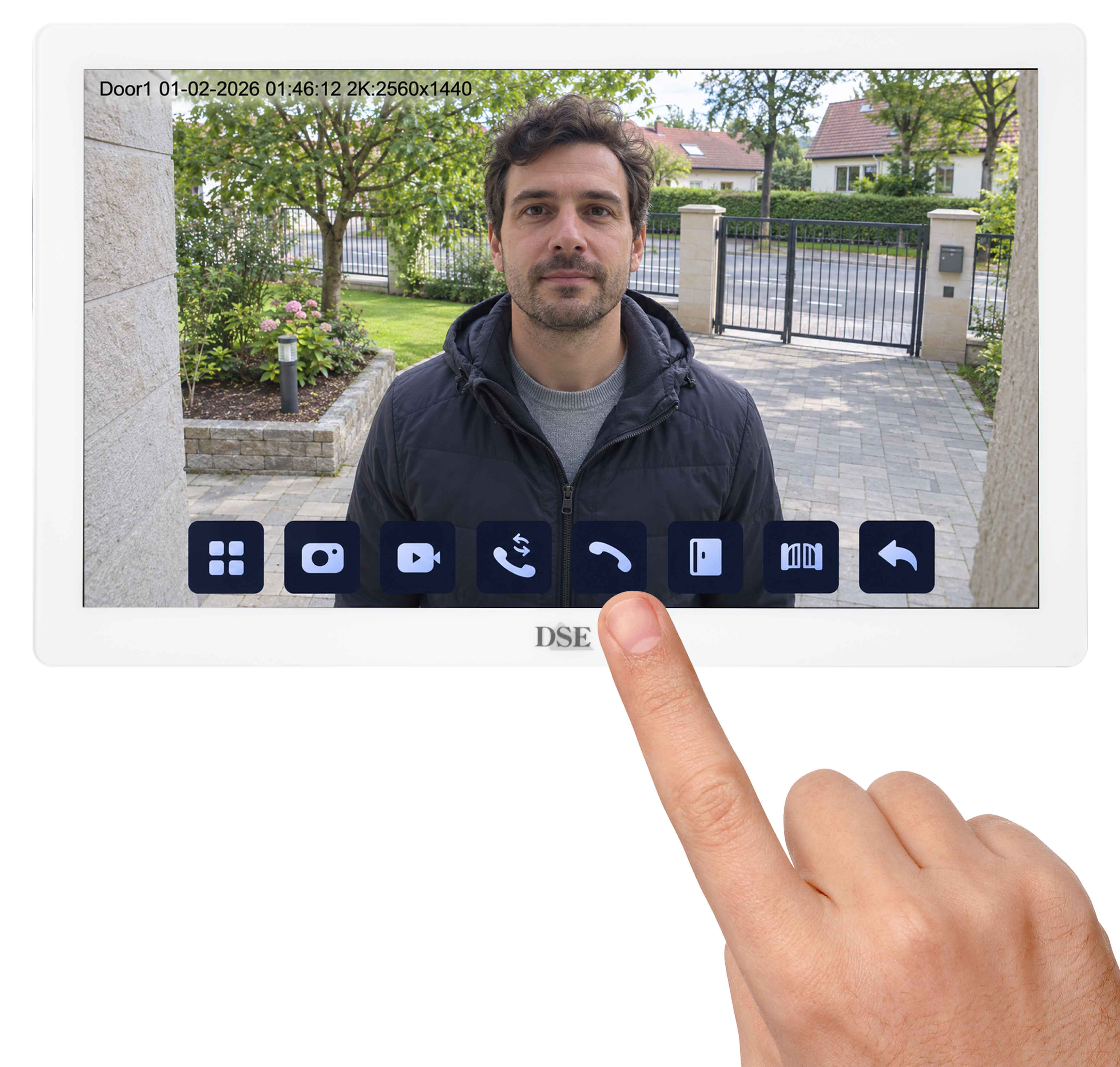
We developed our video intercoms with a camera manufacturer's focus: image quality comes first. Say goodbye to old handsets and unnecessary buttons. Your new video intercom is essentially just a hands-free touchscreen monitor with scratch-resistant glass and a generous screen size of 7,9 or 10 inches. Ultra-slim and elegant, without unnecessary frames or button panels, our DOMOTICAM monitors offer a clear colour view and complement your home interior.


No buttons! Just touchscreen

Our DOMOTICAM video intercom monitors do away with buttons. All commands, including answering calls, opening doors and changing settings, are performed simply by touching the screen. This is more intuitive than traditional systems with small screens in large frames full of buttons, and reduces faults over time.


Door stations with 1 to 5 buttons with badge reader

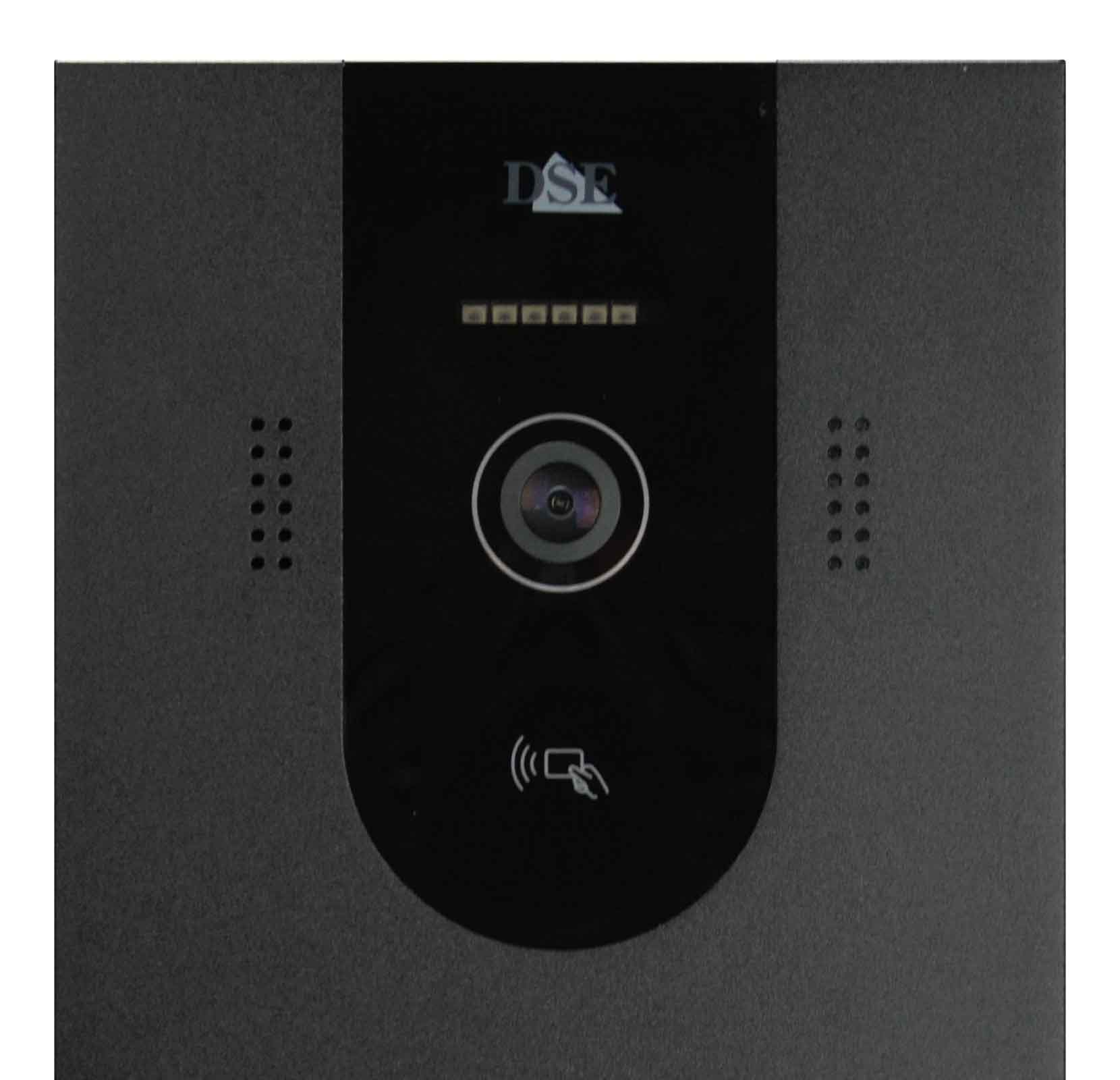
Domoticam IQ door stations are available with one to five buttons and a clean, modern design. Each door station can electrically control thepedestrian gate release and a second entrance such as a driveway gate or garage door. The door stations also have an IC reader that opens one or both locks when a badge is presented (5 badges included)


4MP camera with infrared illumination

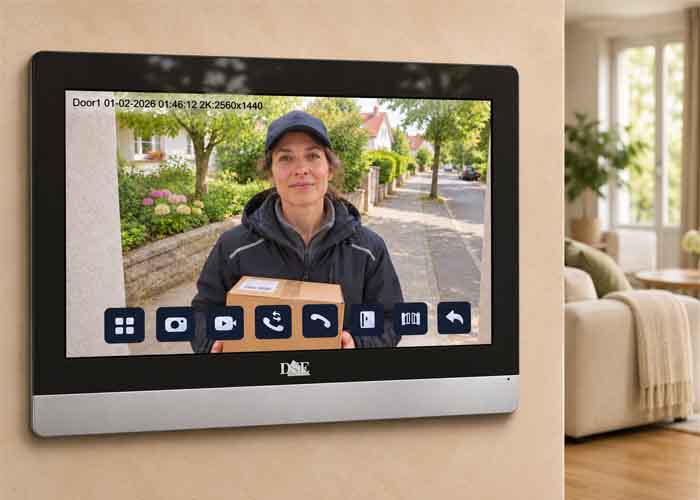
Unlike other 2-wire video intercoms that use analog cameras, Domoticam IQ is fully digital and delivers outstanding video quality. The camera offers a video resolution of 4MP (2560x1440) for a clear view of fine details, both live and in recordings. It is powered by an AI chipset with advanced human detection. 6 infrared LEDs provide night vision up to 6 metres.


Up to 5 apartments, 4 door stations and 4 monitors per household

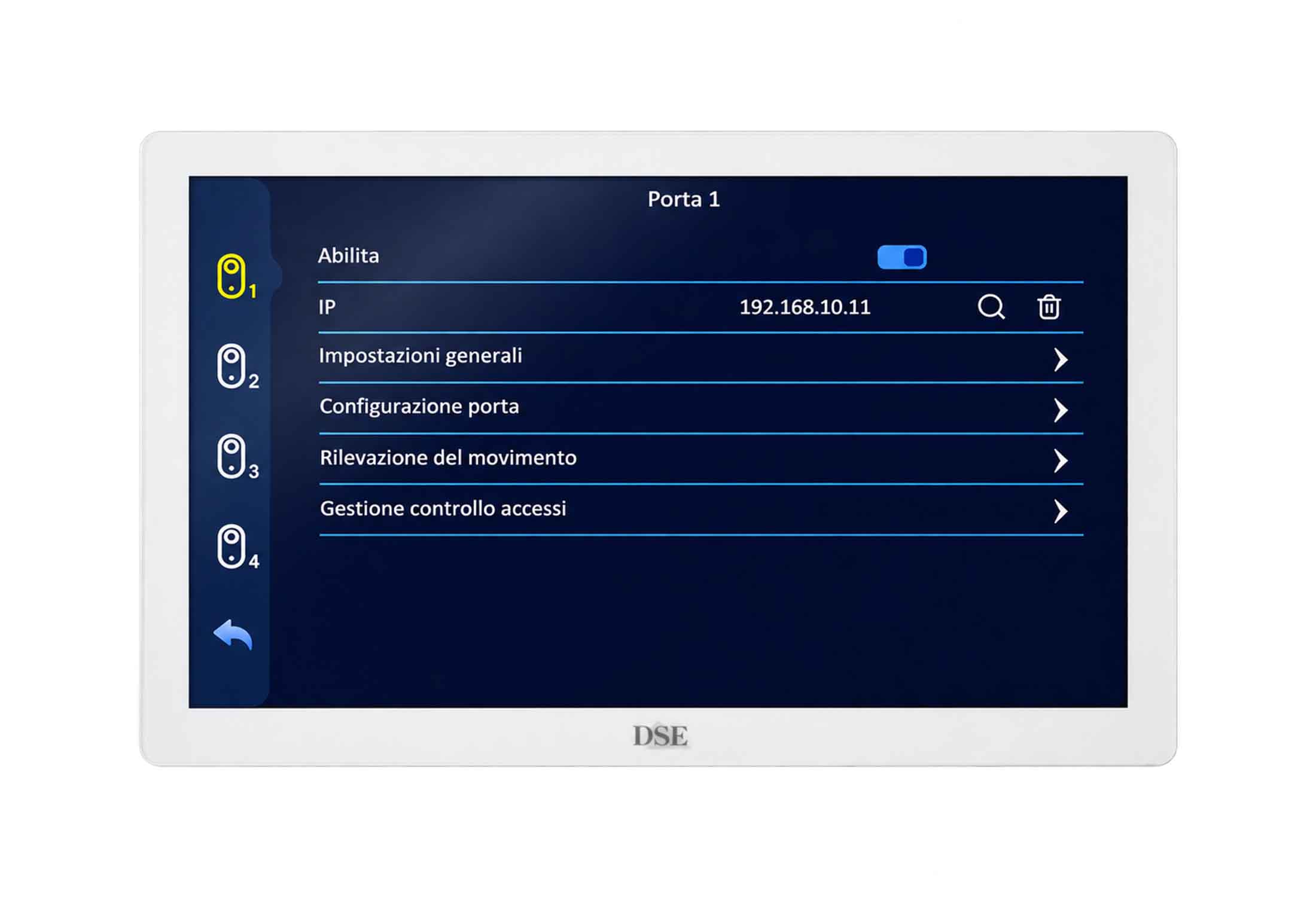
Our DOMOTICAM IQ video intercoms are suitable for houses with 1 to 5 households (up to 5 apartments). Each household can have 1 to 4 monitors. You can install up to 4 outdoor door stations, each able to operate up to 2 locks. The system is completed with one or more 24VDC power supplies. On average, one power supply is needed for every 2/3 monitors.


Just 2 wires and Wi-Fi

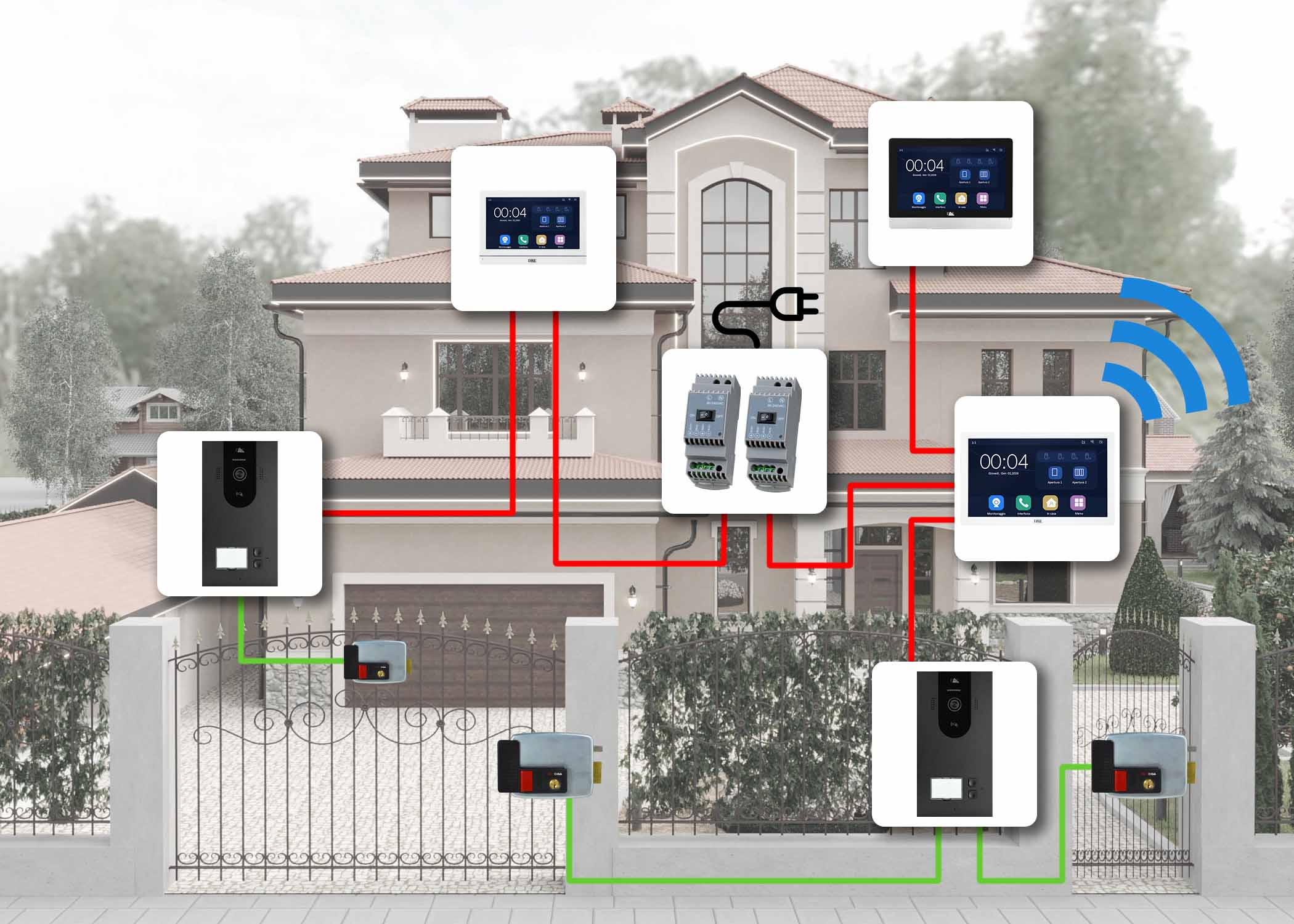
All system components - monitors, door stations and power supplies - connect together using a simple pair of wires (2-wire), with no central control unit. You can connect devices as you wish, in either a daisy chain or star layout, creating branches up to 150 metres long (with 2x0.75 mm cable). There is no need to observe +/- polarity, making it easy to reuse existing wiring. The monitors also have built-in WiFi so each household can connect to its own WiFi and control the video intercom from a smartphone.


Zero configuration: 100% Plug&Play

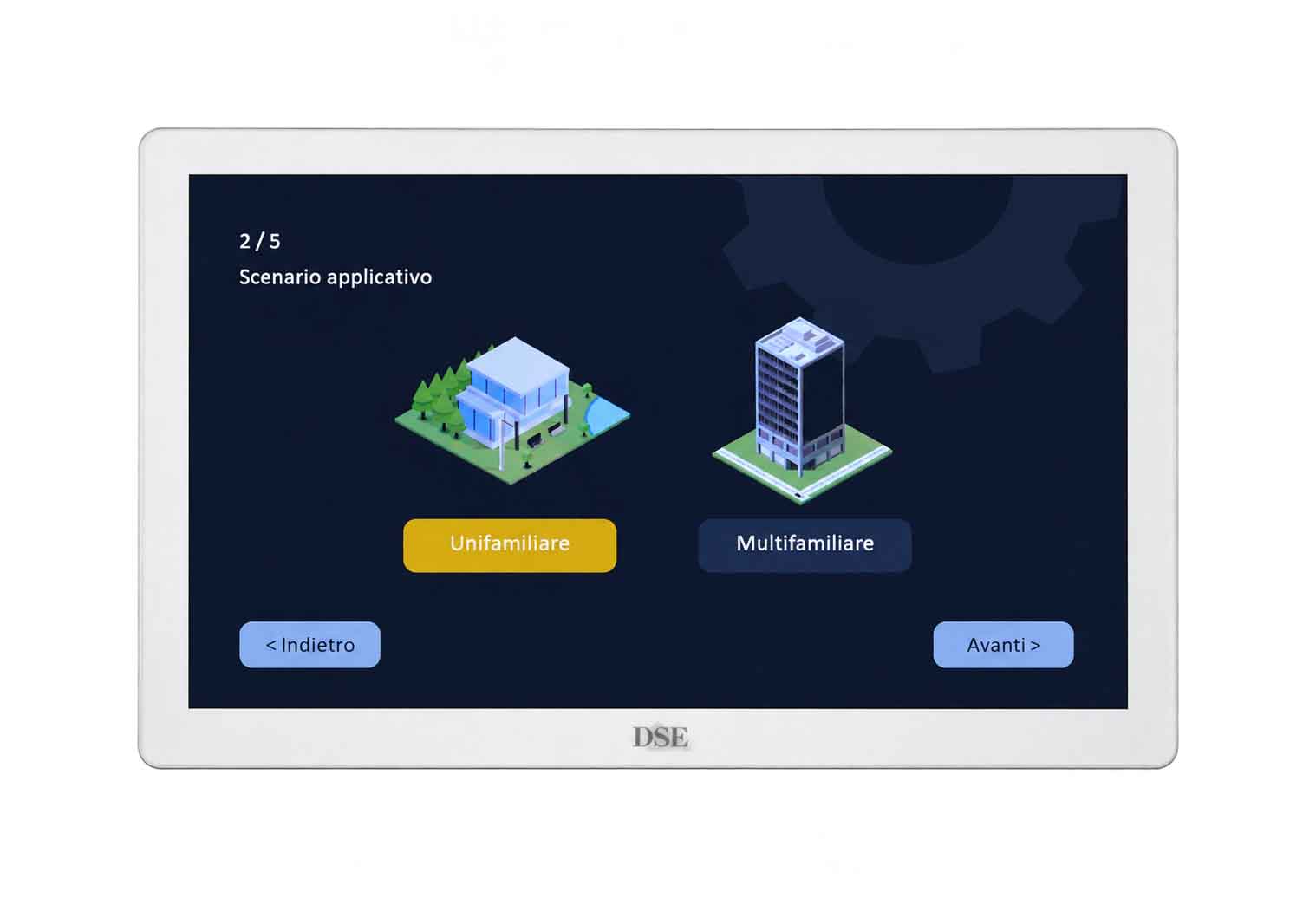
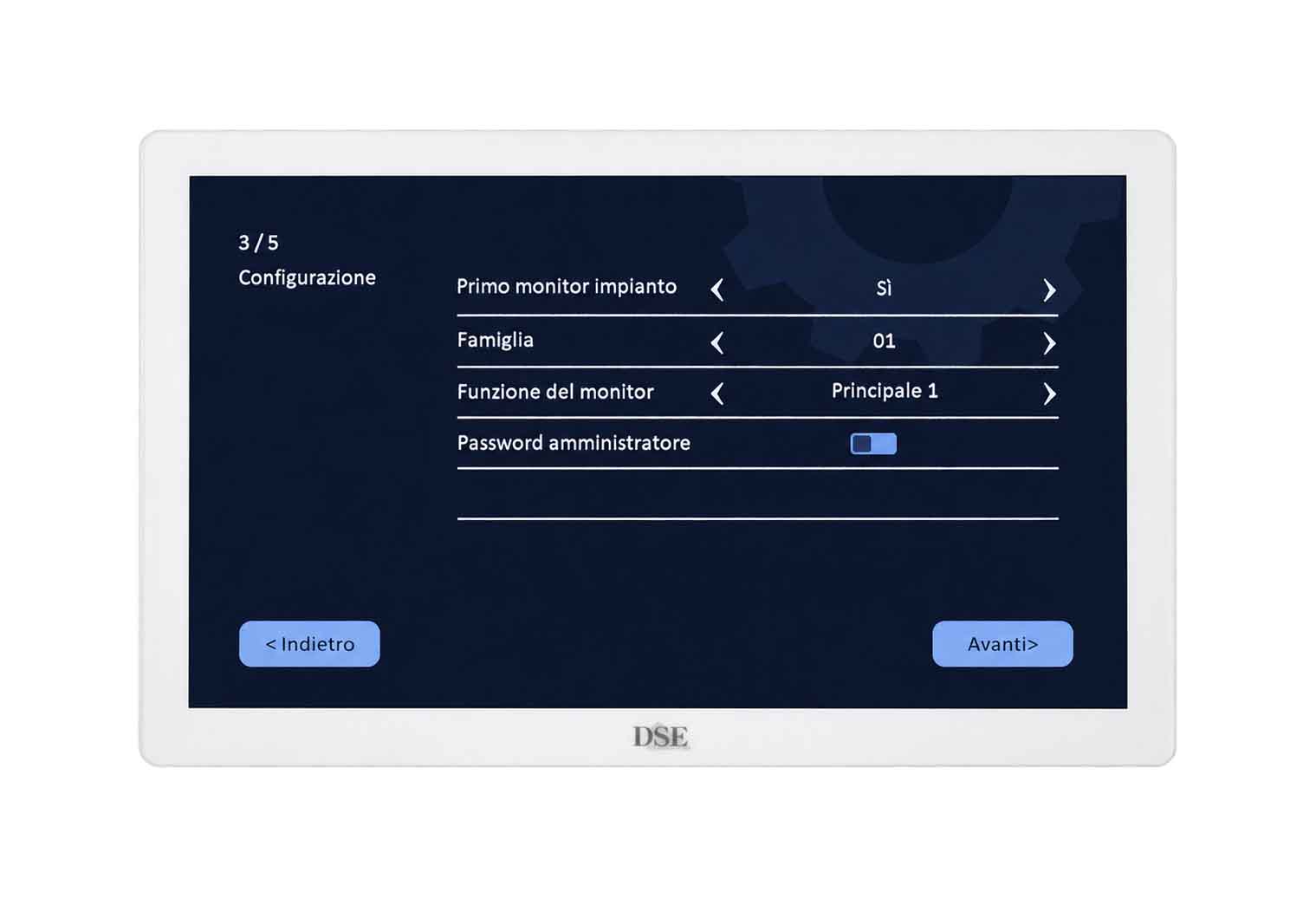
Although it runs over just 2 wires, our system is actually a network in which every device has its own IP address. However, we designed it to configure itself automatically. Unlike other intercoms, no technical setup is needed to make it work the way you want. Simply follow the setup wizard when each monitor is first switched on to assign it to a household. Nothing else is needed: no DIP switches or app or PC configuration. 100% Plug&Play.


Built on the home automation platform TUYA

These Domoticam products are part of our Smart Home range for home automation, which also includes cameras, remote controllers and video doorbells, all with WiFi. Products in this range are based on the home automation platform TUYA and its globally used Smart-Life IoT app. With this product range, you can automate your entire home, simply by purchasing the devices and connecting them to your WiFi in moments. Monitor your premises with mains-powered cameras or battery-powered cameras; control lighting, heating or irrigation with remote controllers and manage access with battery-powered video doorbells. Our Smart Home devices are wireless, easy to install and affordable.

ADVANCED FEATURES

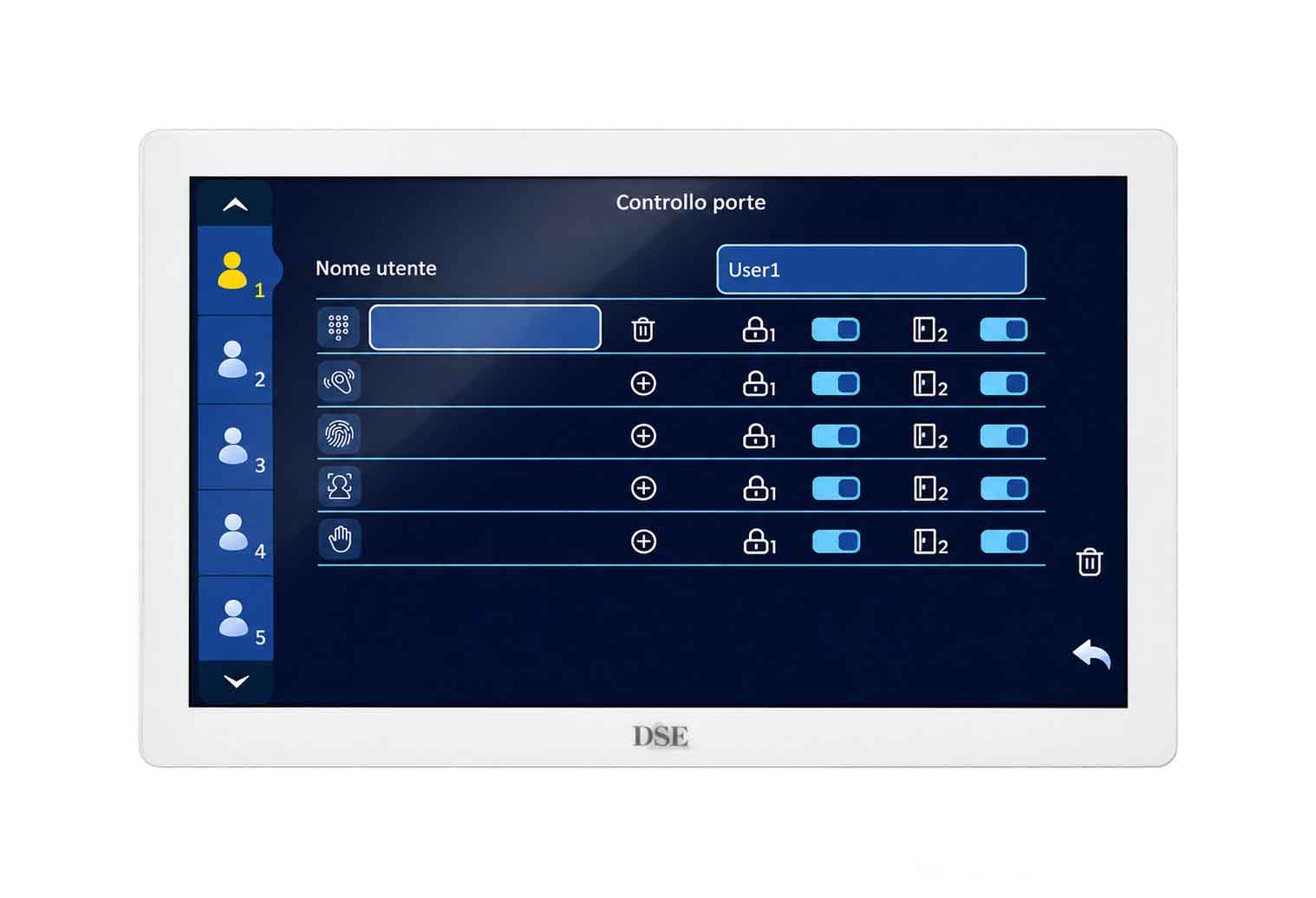
Access control 10 users per household

With Domoticam IQ, you can open the entrance door without keys. Each household can register up to 10 authorised users forautomatic door opening. A five-household system can therefore manage up to fifty users in total. Each user can be assigned a badge, a facial image and a palm image.


Recognition using a badge

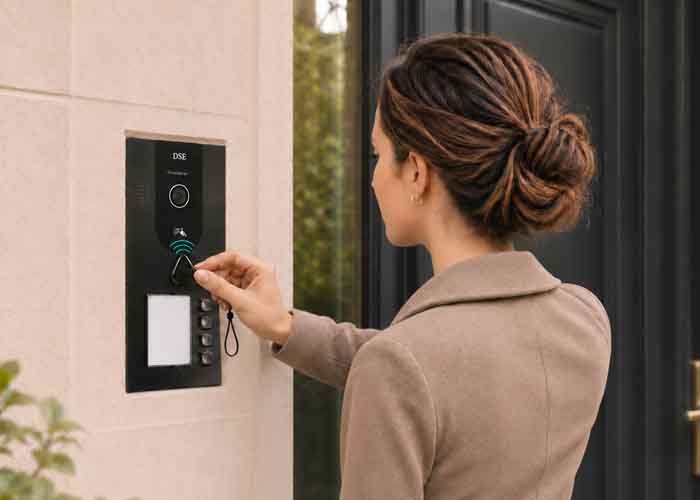
Simply present your badge to the reader to open the door. Each door station includes five free badges. You can purchase extra badges separately and assign them to system users through a simple enrolment procedure.


Facial recognition

Would you like your home to recognise you and open the door without you having to do anything? You can, thanks to the facial recognition feature of Domoticam IQ video intercoms. Simply register the faces of authorised users through a simple enrolment procedure. When you return home, just stand in front of the camera for a few seconds and the door will open automatically.


Palm print recognition

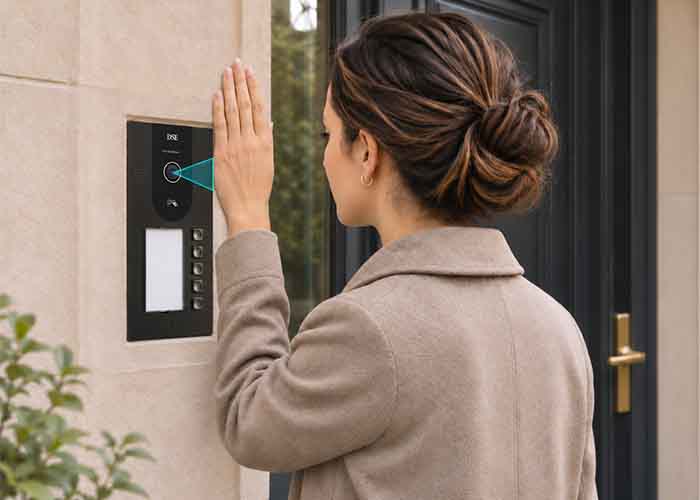
Want to open your front door without keys, badges or cards while maintaining a high level of security? Use the palm print recognition feature included in Domoticam IQ video intercoms. Simply register the palm prints of authorised users through a simple enrolment procedure. The camera will recognise the lines on your palm and the door will open automatically.


Detection and notification of motion

The Domoticam IQ camera features human detection, just like our best surveillance cameras. It can monitor your home 24 hours a day and send a notification to your smartphone if a suspicious presence is detected in front of the intercom.


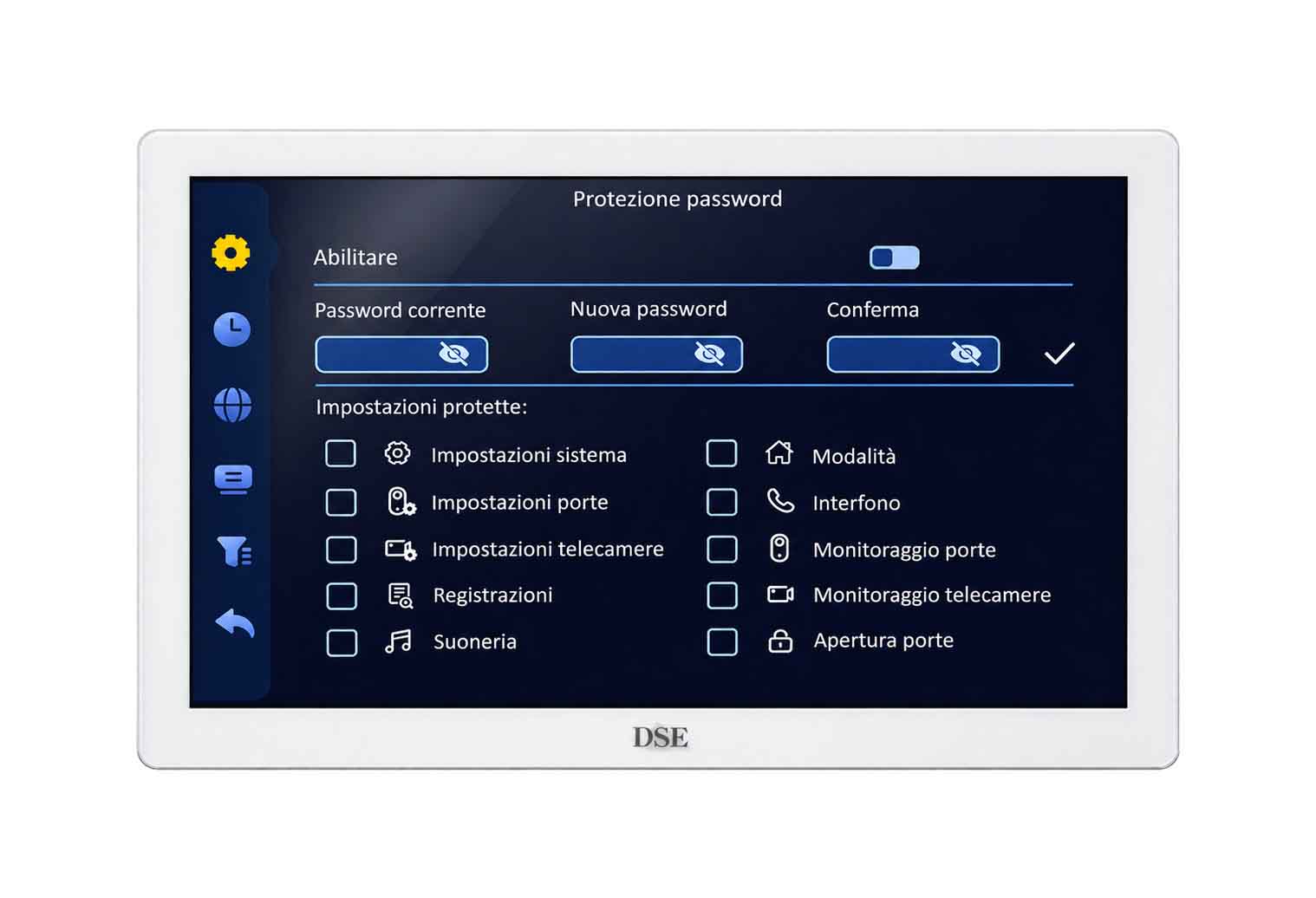
Protection with a password

For added security, you can restrict access to certain system functions with a password. You can choose which functions are restricted to suit your needs. For example, you can require a password to change settings or view external cameras.


Record to SD card up to 1TB

Each monitor can hold a microSD card to record visitor videos and motion detection events. In the PLAYBACK section, you can search by date and review recordings. The video intercom also has a convenient VIDEO ANSWERING MACHINE feature that lets visitors leave a video message if you do not answer. You can also enable DO NOT DISTURB mode to invite visitors to leave a message without activating the indoor chime. With the Smartlife app, you can also review recordings on your smartphone.


View external IP cameras

In addition to the cameras built into the door stations, Domoticam monitors support external IP cameras. If you have IP cameras on your home network, you can connect them to your Domoticam monitor and view them on screen whenever needed. This is particularly useful, for example, to check that a door has opened or see where a visitor is going. You can connect up to 4 Onvif network IP cameras with a maximum resolution of 5MP. For full audio and video compatibility, we recommend using our own cameras.


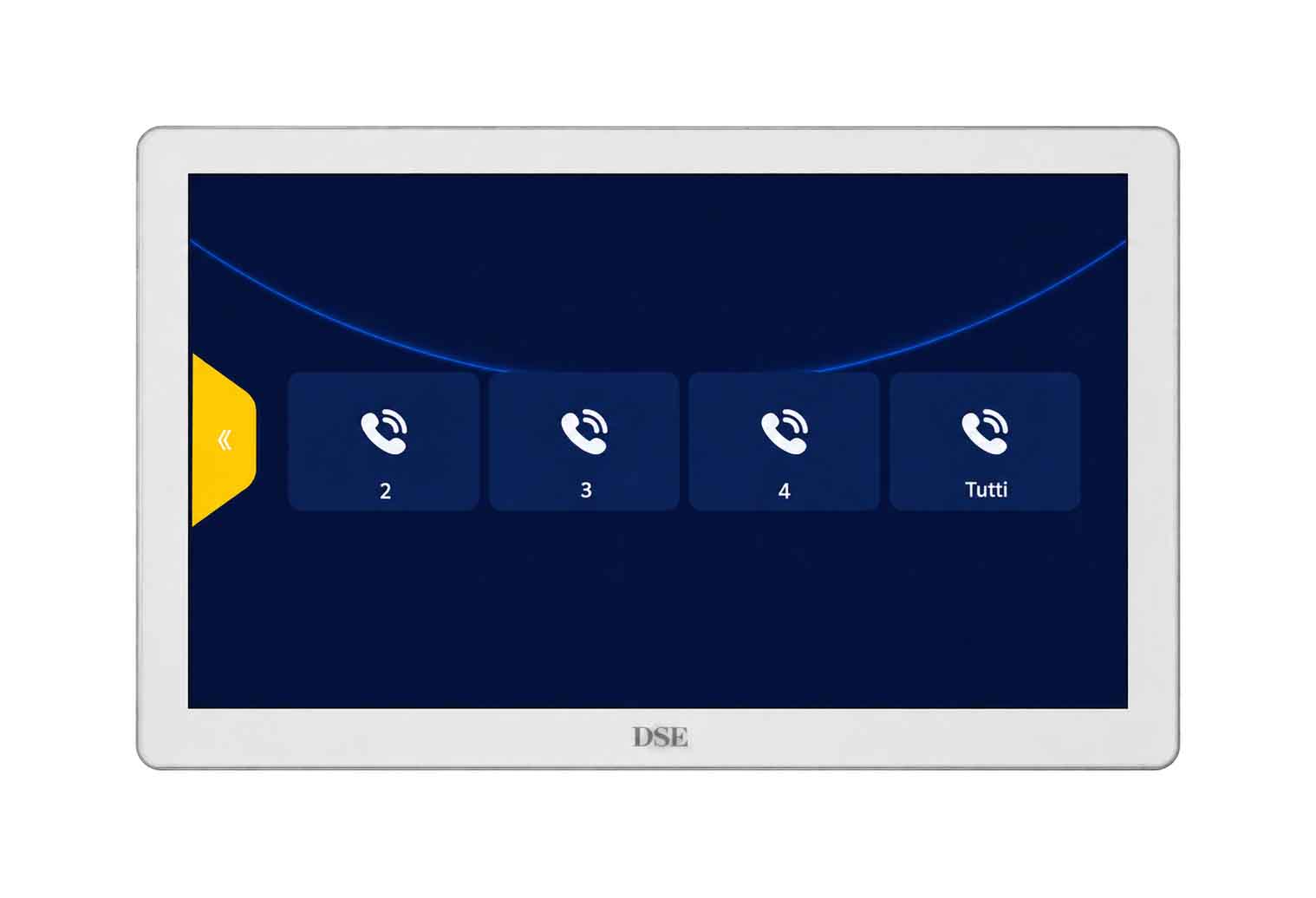
Call other monitors using theintercom

The intercom function lets you call other monitors within the same household. It is useful for getting your family's attention in large homes. Intercom calls are audio-only and cannot be made between different households.


APP CONTROL

Answer the intercom from your smartphone

All our Smart Home devices - cameras, remote controllers and video intercoms - are controlled using Smart Life the world's most widely used home automation app, compatible with all devices based on the Tuya platform. With SmartLife, you receive video intercom calls on your smartphone. You can speak to visitors and open doors. You can also review recordings of previous visits and receive motion detection notifications.

SmartLife, the APP for the Internet of Things

IoT stands for Internet of Things. Today, it is more than just a name: it is a reality within everyone's reach. With SmartLife, the world's most widely used IoT app, based on the Tuya platform, you can control all our DM Series home automation devices and automate your entire home. Add our video intercoms, smart home cameras, video doorbells and remote controllers to Smartlife. You can also control Tuya-based devices from other manufacturers. It is a much better choice than relying on a single manufacturer's proprietary app, which cannot offer the same capabilities and versatility.

Free app for iOS and Android Live viewing via app Recording playback Ambient audio monitoring Two-way talk Control of other devices Push notifications Cloud P2P Smartlife Smartlife Powered by Tuya

VOICE CONTROL

Compatible with Amazon Alexa and Google Home

Our Domoticam video intercoms are compatible with the Amazon Alexa and Google Home / Google Assistant voice control platforms. When a visitor rings the doorbell, you will hear a voice announcement on your devices. No configuration is needed: simply install the Smartlife skill to manage your devices with voice assistants.

Compatible with Amazon Echo Alexa Compatible with Google Assistant

THE EASIEST TO INSTALL

In a few simple steps

1 - Prepare the two-wire connection cable

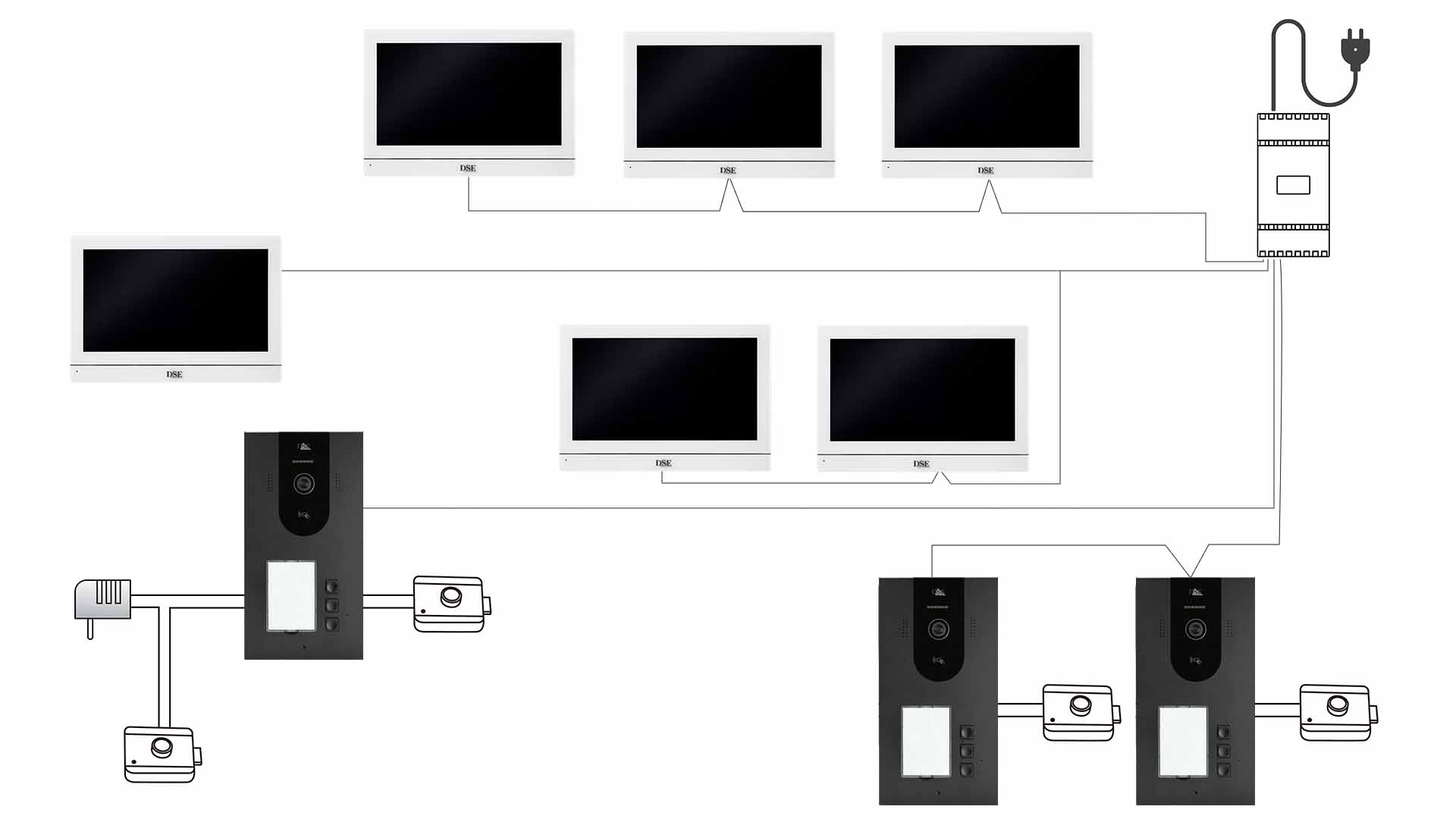
As shown in the diagram, the pair of wires connecting monitors and door stations has no fixed wiring layout. You can daisy-chain the devices or freely create branches. You do not even need to observe the polarity of the two wires. Recommended minimum cross-sections are 0.75 mm² up to 50 m, 1 mm² up to 100 m and 1.5 mm² up to 150 m. You can also use a small twisted pair from a network cable, up to 30 metres from the power supply. If replacing an old intercom, you can reuse the power wires from the old system without running any additional cables.


2 - Connect the24VDC power supply

You can connect the system power supply anywhere on the circuit, preferably near the centre. A single power supply (24VDC 3A) can power up to 4 monitors, or up to 2/3 monitors when operating a powered electric lock with high current draw. If one power supply is not enough, you can add more, connecting them to the system's two-wire bus as shown in the diagram.


3 - Connect monitors and door stations

Unlike first-generation Domoticam, Domoticam IQ does not require devices to be connected to the bus one at a time. Complete the wiring at your own pace, then power up all devices together. Do not start the initial monitor setup until all wiring is complete.

A Connection to the 220V mains supply
B 220V 3A DIN rail power supply
C Non-polarised 24VDC BUS power supply
D Two-wire BUS connecting all monitors and door stations
E Monitor with WiFi for wireless router connection
F 12VDC electric lock for pedestrian entrance door
G Door station with lock control

4 - Connect the door releases

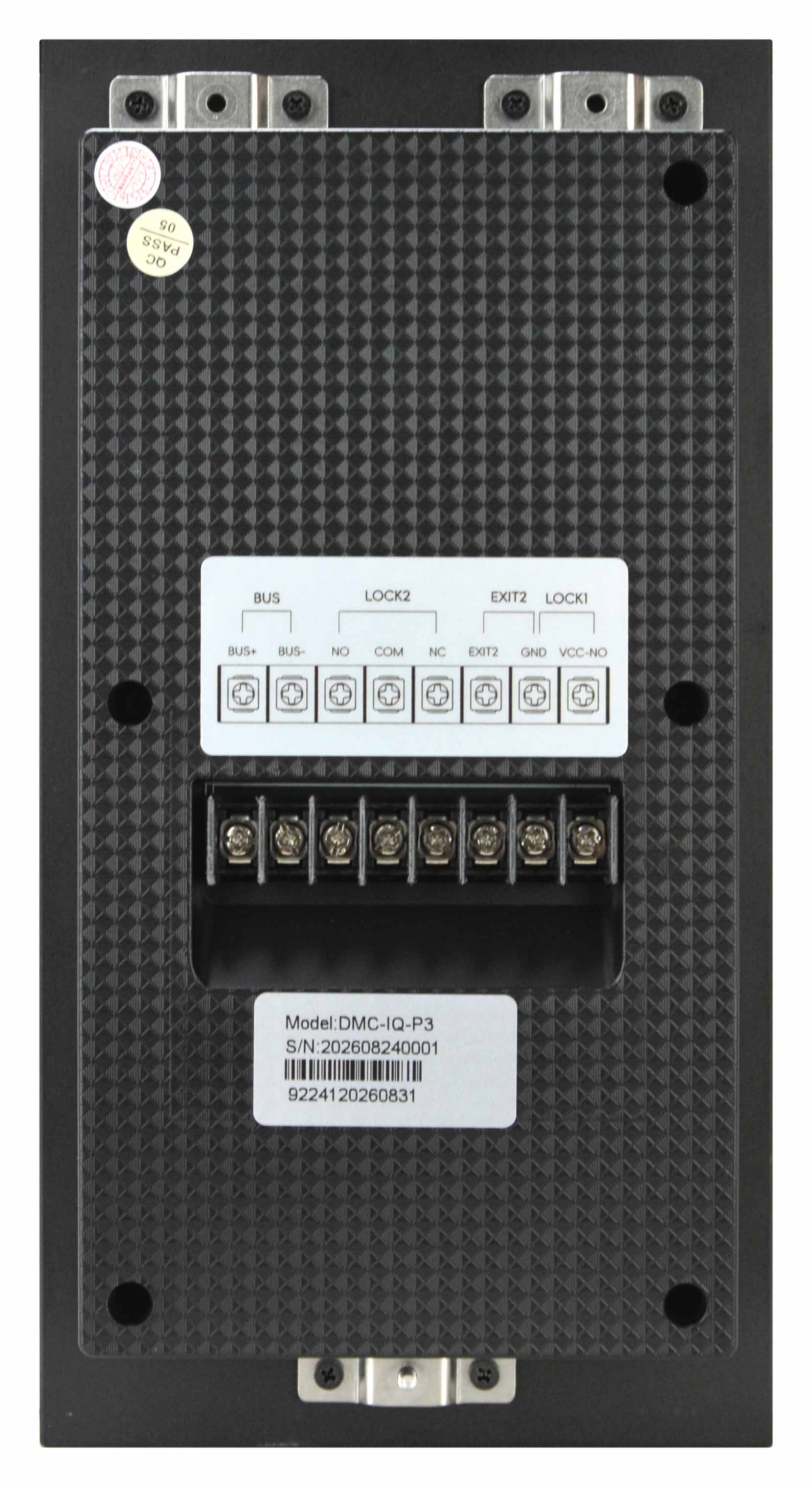
The electric lock on the pedestrian entrance door connects to the door station using two wires (D). Our door stations can supply the 12VDC power needed for release and can also connect to an external exit button (C). The door stations also have a second NO/NC contact output (B) for another entrance with its own power supply, normally used for a driveway gate or garage door. To control more than two entrances, install another door station (max. 4).


5 - Set up with Plug&Play

Our Domoticam video intercoms configure themselves automatically. Once installation is complete, power up the system and the monitors will enter the initial setup procedure. First, configure the main monitor, assigning it, for example, to household 1. The main monitor will automatically assign IP addresses to the door stations, which will start working. Then run the setup wizard on the other monitors and assign them to their households. That is all: your new video intercom is ready to use!


6 - Connect your WiFi for Internet access

To manage the video intercom from a smartphone, each household can connect its main monitor to its own WiFi. In the monitor settings, search for your 2.4 or 5 GHz WiFi network and enter the password. Then open the Tuya Smartlife app and tap the button to add the video intercom. Nothing else is needed: Tuya's powerful servers handle everything else, providing secure, fast and reliable web access.

Watch the videotutorial

See how easy it is to install a Domoticam video intercom. This video tutorial shows how to replace your old intercom in just a few hours, without running a single cable or carrying out complex configuration.

THE EASIEST TO USE

Easy and intuitive control

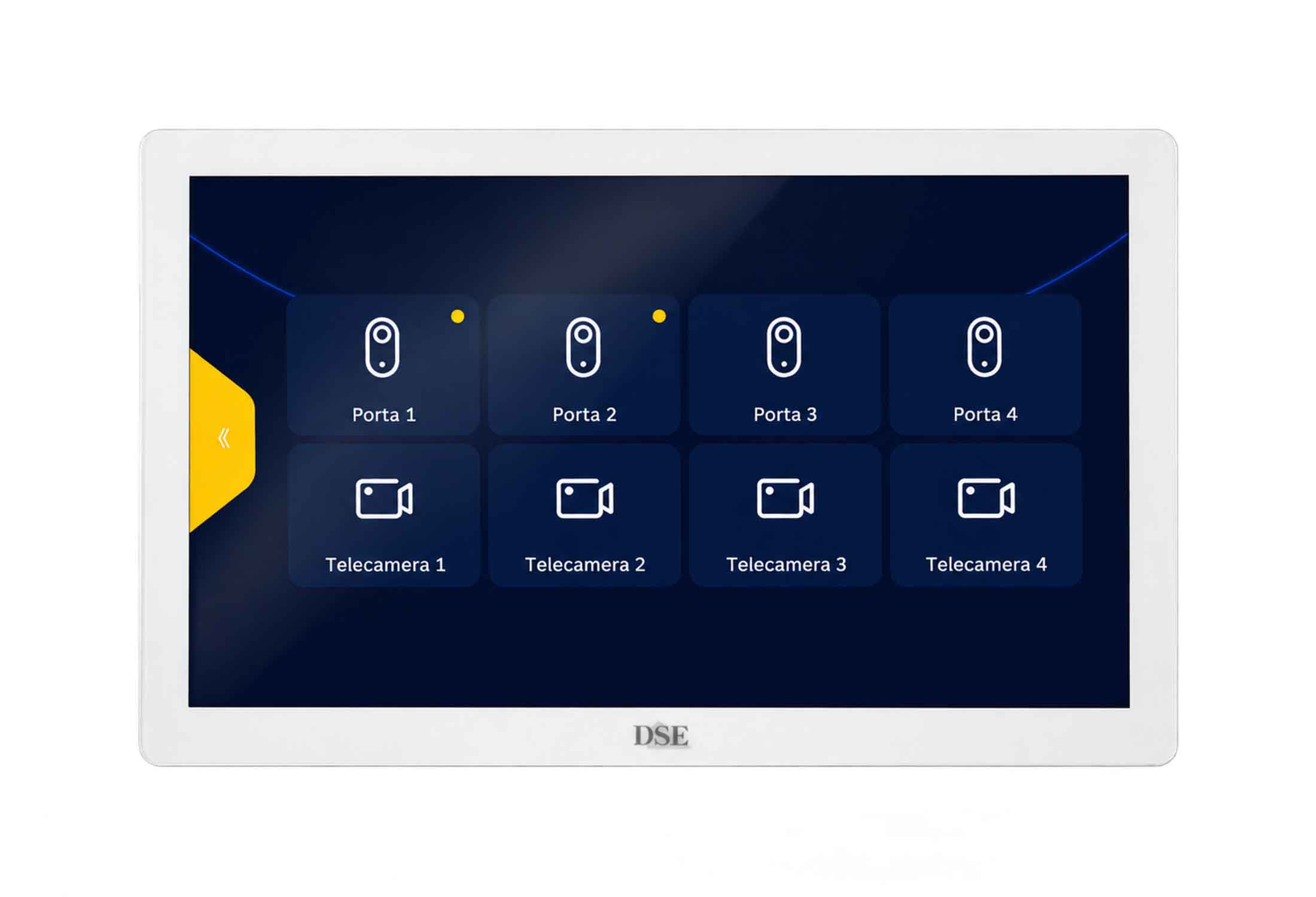
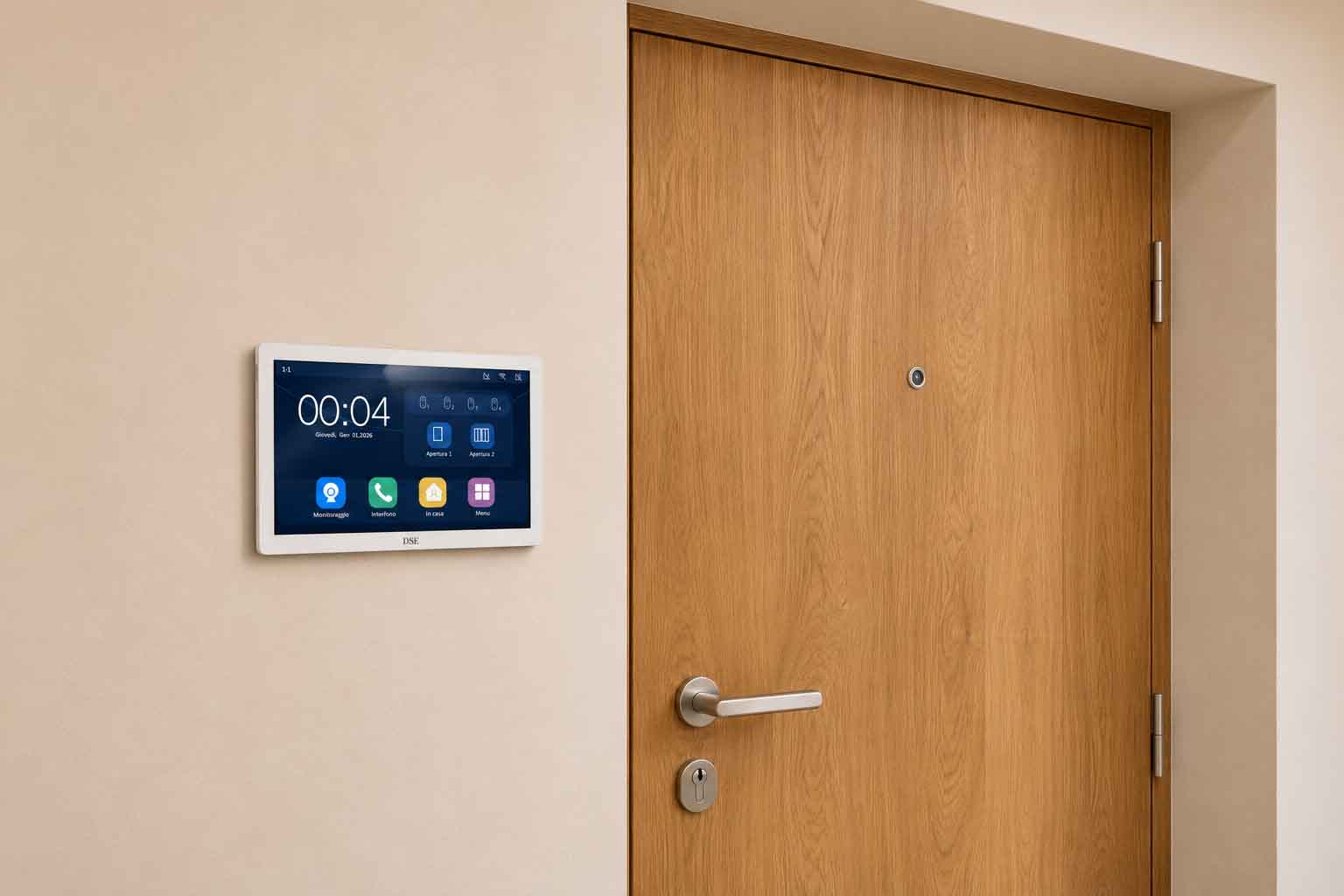
The touchscreen makes the video intercom's many functions easy and intuitive to use, even for older users. You can ANSWER A CALL and open doors and gates with a simple touch. Even without a visitor, you can view any door station in the system and OPEN THE DOORS connected to it. The large high-resolution monitor is clearly visible even from a distance, and every function has a clear DESCRIPTION IN ITALIAN.


Useful even in standby and customisable

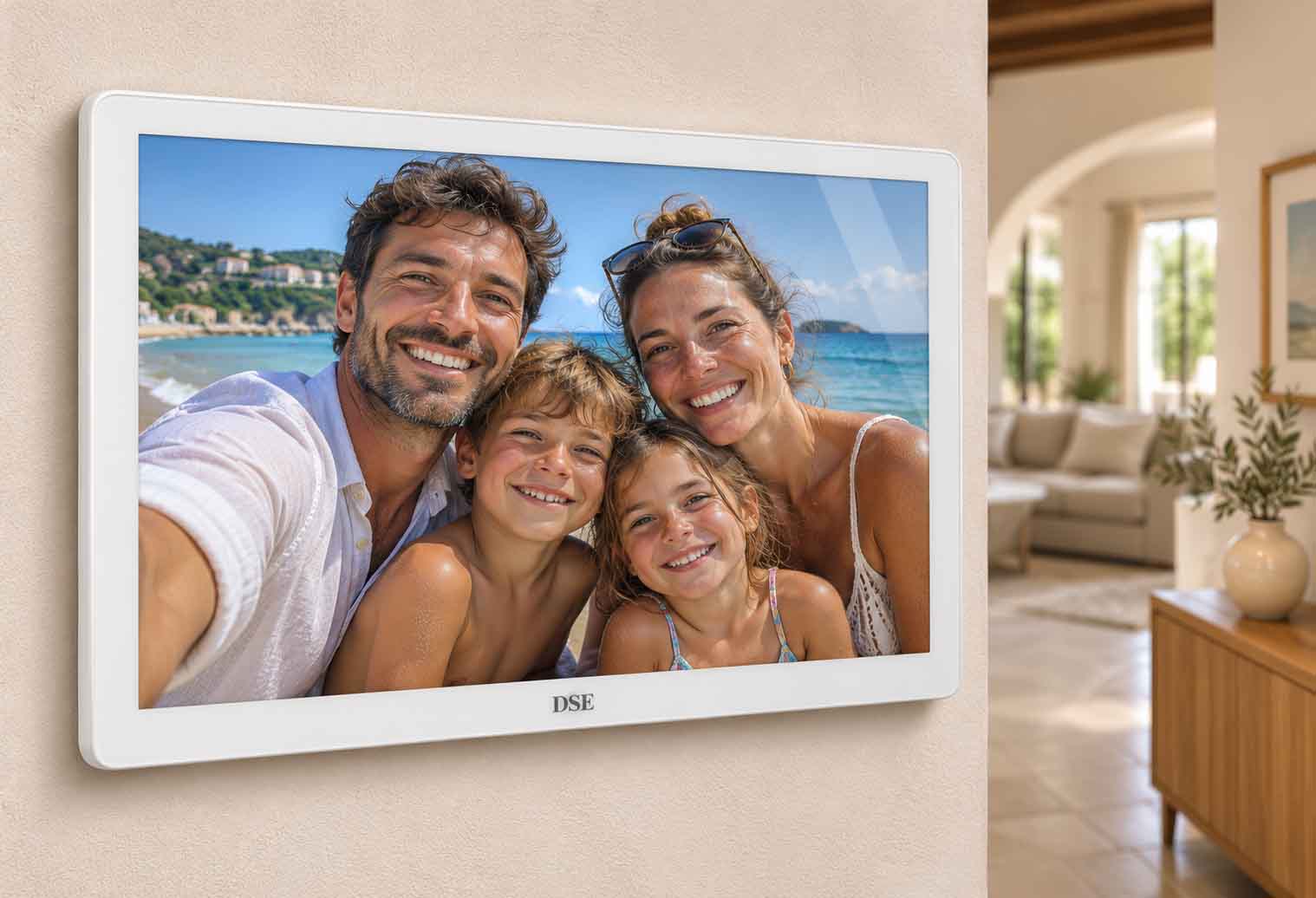
Alongside their elegant design and video quality, Domoticam video intercom monitors are useful even when idle. They can display the time and weather forecast, or show a slideshow of your favourite photos stored on the SD card. If you prefer, the monitor can stay off and activate automatically only when a call comes in.

SUGGESTIONS

Easily replace your old intercom

Thanks to the innovative non-polarised 2-wire connection, which supports any wiring layout, replacing an old intercom is easy, with no need to run a single new wire. First, locate the old system's power supply: two power wires run from there to the indoor intercoms and the door station. Install the new power supply there and use the two power wires to connect the new monitors and door station. Then check the door station: the door release wires run from there and can be connected to the new door station.


Control multiple doors and gates

A Domoticam door station can connect to a powered pedestrian gate lock, a local exit button and a release relay for an external automation system (gate/garage). To open more doors or gates, install additional door stations (up to 4) which can also be concealed in an enclosure rather than accessible to visitors, until you have all the release relays you need. You can easily control every door station from any monitor and via the app.


TECHNICAL SPECIFICATIONS

 
MODEL DMC-IQ-M7 DMC-IQ-M9N DMC-IQ-M10S DMC-IQ-P1 DMC-IQ-P2 DMC-IQ-P3 DMC-IQ-P4 DMC-IQ-P5
Description Hands-free touchscreen monitor Hands-free touchscreen monitor Hands-free touchscreen monitor Door station for 1 apartment Door station for 2 apartments Door station for 3 apartments Door station for 4 apartments Door station for 5 apartments
Type 7" white 9" black/stainless steel 10" white 1 button, surface or flush mounting 2 buttons, surface or flush mounting 3 buttons, surface or flush mounting 4 buttons, surface or flush mounting 5 buttons, surface or flush mounting
MONITOR
Screen size 7" 9" 10"
Monitor resolution 1024x600 pixel 1024x600 pixel 1024x600 pixel
Touchscreen glass screen glass screen glass screen
CAMERA
Camera resolution 2560x1440 2K 4MP 2560x1440 2K 4MP 2560x1440 2K 4MP 2560x1440 2K 4MP 2560x1440 2K 4MP
Infrared illuminator 6 IR LEDs, 6 m 6 IR LEDs, 6 m 6 IR LEDs, 6 m 6 IR LEDs, 6 m 6 IR LEDs, 6 m
Lens 3.2 mm 150° 3.2 mm 150° 3.2 mm 150° 3.2 mm 150° 3.2 mm 150°
DOOR STATION
Call buttons 1 2 3 4 5
Badge reader 5 badges included 5 badges included 5 badges included 5 badges included 5 badges included
Powered lock output 1x12VDC max.800mA 1x12VDC max.800mA 1x12VDC max.800mA 1x12VDC max.800mA 1x12VDC max.800mA
Relay release output 1xNO/NC 1xNO/NC 1xNO/NC 1xNO/NC 1xNO/NC
Exit button input 1xNO 1xNO 1xNO 1xNO 1xNO
EQUIPMENT
Local power supply 24VDC with DIN rail power supply available as an accessory (24VDC/3A) 24VDC with DIN rail power supply available as an accessory (24VDC/3A) 24VDC with DIN rail power supply available as an accessory (24VDC/3A) 24VDC with DIN rail power supply available as an accessory (24VDC/3A) 24VDC with DIN rail power supply available as an accessory (24VDC/3A) 24VDC with DIN rail power supply available as an accessory (24VDC/3A) 24VDC with DIN rail power supply available as an accessory (24VDC/3A) 24VDC with DIN rail power supply available as an accessory (24VDC/3A)
Monitor and door station connection 2 non-polarised wires | 2x0.75 mm² up to 50 m | 2x1 mm² up to 100 m | 2x1.5 mm² up to 150 m | 1 UTP pair up to 30 m 2 non-polarised wires | 2x0.75 mm² up to 50 m | 2x1 mm² up to 100 m | 2x1.5 mm² up to 150 m | 1 UTP pair up to 30 m 2 non-polarised wires | 2x0.75 mm² up to 50 m | 2x1 mm² up to 100 m | 2x1.5 mm² up to 150 m | 1 UTP pair up to 30 m 2 non-polarised wires | 2x0.75 mm² up to 50 m | 2x1 mm² up to 100 m | 2x1.5 mm² up to 150 m | 1 UTP pair up to 30 m 2 non-polarised wires | 2x0.75 mm² up to 50 m | 2x1 mm² up to 100 m | 2x1.5 mm² up to 150 m | 1 UTP pair up to 30 m 2 non-polarised wires | 2x0.75 mm² up to 50 m | 2x1 mm² up to 100 m | 2x1.5 mm² up to 150 m | 1 UTP pair up to 30 m 2 non-polarised wires | 2x0.75 mm² up to 50 m | 2x1 mm² up to 100 m | 2x1.5 mm² up to 150 m | 1 UTP pair up to 30 m 2 non-polarised wires | 2x0.75 mm² up to 50 m | 2x1 mm² up to 100 m | 2x1.5 mm² up to 150 m | 1 UTP pair up to 30 m
WiFi IEEE802.11b/g/n Dual band 2.4GHz/5GHz IEEE802.11b/g/n Dual band 2.4GHz/5GHz IEEE802.11b/g/n Dual band 2.4GHz/5GHz
Audio input Built-in full-duplex microphone Built-in full-duplex microphone Built-in full-duplex microphone Built-in full-duplex microphone Built-in full-duplex microphone Built-in full-duplex microphone Built-in full-duplex microphone Built-in full-duplex microphone
Audio output Built-in speaker Built-in speaker Built-in speaker Built-in speaker Built-in speaker Built-in speaker Built-in speaker Built-in speaker
SD card Max. 1TB Max. 1TB Max. 1TB
Maximum number of devices per system 4 monitors per apartment (max 5 apartments) 4 monitors per apartment (max 5 apartments) 4 monitors per apartment (max 5 apartments) 4 door stations per system 4 door stations per system 4 door stations per system 4 door stations per system 4 door stations per system
FUNCTIONS
Protocols TCP/IP, Tuya TCP/IP, Tuya TCP/IP, Tuya TCP/IP, Tuya TCP/IP, Tuya TCP/IP, Tuya TCP/IP, Tuya TCP/IP, Tuya
External IP camera support Up to 4 Onvif IP cameras, max. 5MP Up to 4 Onvif IP cameras, max. 5MP Up to 4 Onvif IP cameras, max. 5MP Not supported Not supported Not supported Not supported Not supported
Home automation compatibility Amazon Alexa, Google Home Google Assistant Amazon Alexa, Google Home Google Assistant Amazon Alexa, Google Home Google Assistant Amazon Alexa, Google Home Google Assistant Amazon Alexa, Google Home Google Assistant Amazon Alexa, Google Home Google Assistant Amazon Alexa, Google Home Google Assistant Amazon Alexa, Google Home Google Assistant
Slideshow Photos stored on the SD card Photos stored on the SD card Photos stored on the SD card
Ringtones 10 selectable ringtones, also configurable by time period 10 selectable ringtones, also configurable by time period 10 selectable ringtones, also configurable by time period Welcome message and call tone Welcome message and call tone Welcome message and call tone Welcome message and call tone Welcome message and call tone
Operating modes At home, Away, Do not disturb At home, Away, Do not disturb At home, Away, Do not disturb At home, Away, Do not disturb At home, Away, Do not disturb At home, Away, Do not disturb At home, Away, Do not disturb At home, Away, Do not disturb
Video answering machine Visitor video message (30/60 sec.) Visitor video message (30/60 sec.) Visitor video message (30/60 sec.) Visitor video message (30/60 sec.) Visitor video message (30/60 sec.) Visitor video message (30/60 sec.) Visitor video message (30/60 sec.) Visitor video message (30/60 sec.)
Access control 10 users per household 10 users per household 10 users per household 10 users per household 10 users per household 10 users per household 10 users per household 10 users per household
Facial recognition
Palm print recognition
Motion detection Human detection with recording and notification Human detection with recording and notification Human detection with recording and notification Human detection with recording and notification Human detection with recording and notification Human detection with recording and notification Human detection with recording and notification Human detection with recording and notification
P2P
Browser
Smartphone Smartlife or Tuya app for iOS and Android Smartlife or Tuya app for iOS and Android Smartlife or Tuya app for iOS and Android Smartlife or Tuya app for iOS and Android Smartlife or Tuya app for iOS and Android Smartlife or Tuya app for iOS and Android Smartlife or Tuya app for iOS and Android Smartlife or Tuya app for iOS and Android
Notification actions Call notifications with video connection and door release | Motion detection notification Call notifications with video connection and door release | Motion detection notification Call notifications with video connection and door release | Motion detection notification Call notifications with video connection and door release | Motion detection notification Call notifications with video connection and door release | Motion detection notification Call notifications with video connection and door release | Motion detection notification Call notifications with video connection and door release | Motion detection notification Call notifications with video connection and door release | Motion detection notification
Password protection 1 password with configurable functions + 1 configuration password 1 password with configurable functions + 1 configuration password 1 password with configurable functions + 1 configuration password 1 password with configurable functions + 1 configuration password 1 password with configurable functions + 1 configuration password 1 password with configurable functions + 1 configuration password 1 password with configurable functions + 1 configuration password 1 password with configurable functions + 1 configuration password
GENERAL
Housing Scratch-resistant glass + ABS Scratch-resistant glass + ABS Scratch-resistant glass + ABS Aluminium + ABS Aluminium + ABS Aluminium + ABS Aluminium + ABS Aluminium + ABS
Mounting Wall mounting with clip-on bracket Wall mounting with clip-on bracket Wall mounting with clip-on bracket Wall (surface/flush mounting) Wall (surface/flush mounting) Wall (surface/flush mounting) Wall (surface/flush mounting) Wall (surface/flush mounting)
Protection rating IP40 for indoor use IP40 for indoor use IP40 for indoor use IP54 for outdoor use IP54 for outdoor use IP54 for outdoor use IP54 for outdoor use IP54 for outdoor use
Bracket included for wall mounting for wall mounting for wall mounting impact-resistant wall-mount housing impact-resistant wall-mount housing impact-resistant wall-mount housing impact-resistant wall-mount housing impact-resistant wall-mount housing
Operating temperature -10°C +50°C RH95% Max -10°C +50°C RH95% Max -10°C +50°C RH95% Max -20°C +60°C RH95% Max -20°C +60°C RH95% Max -20°C +60°C RH95% Max -20°C +60°C RH95% Max -20°C +60°C RH95% Max
Power supply 24VDC +/-10% 24VDC +/-10% 24VDC +/-10% 24VDC +/-10% 24VDC +/-10% 24VDC +/-10% 24VDC +/-10% 24VDC +/-10%
Power consumption Max. 250mA 6W Max. 250mA 6W Max. 250mA 6W Max. 200mA (excluding electric lock) Max. 200mA (excluding electric lock) Max. 200mA (excluding electric lock) Max. 200mA (excluding electric lock) Max. 200mA (excluding electric lock)
Dimensions 176 x 123 x 22,5 mm. 224 x 163 x 22,5 mm. 248 x 152 x 19 mm. 85 x 137 x 23 mm. 85 x 137 x 23 mm. 104 x 186 x 55 mm. 104 x 186 x 55 mm. 62 x 138 x 37 mm.
Weight 314 gr. 526 gr. 506 gr. 946 gr. 946 gr. 946 gr. 946 gr. 946 gr.

QUESTIONS & ANSWERS


What do I need for a system?

To build a video intercom system, you first need an indoor monitor or more than one if you want to answer the intercom from several locations. In a multi-household home, you need at least one monitor per household. You then need a door station at the entrance, controlling up to 2 door releases. For more entrances or more than two doors, you need additional door stations. Finally, you need a power supply for the system: one power supply is enough for 2 monitors and one door station. For a larger system, purchase additional power supplies.

How much does it cost?

You can find product prices on our e-commerce portal CCTVSTOREPRO.COM

CCTVSTOREPRO.COM

MANUALS


USER MANUALS

PRICE LIST

WWW.CCTVSTOREPRO.COM